This guide provides a comprehensive overview of simulating classroom quizzes using artificial intelligence. It explores the various methods, tools, and techniques for creating engaging and effective interactive quizzes that cater to diverse learning styles and needs. From defining the simulation process to evaluating its impact on student learning, we’ll cover all the crucial aspects of this innovative approach to assessment.
The process encompasses defining different types of quiz formats, including multiple-choice, true/false, short answer, and essay questions, and tailoring the difficulty to individual student needs. AI algorithms will be examined, along with the role of natural language processing (NLP) in creating dynamic and engaging quiz experiences. The importance of user interface design, accessibility features, and user experience (UX) best practices will also be highlighted.
Defining Classroom Quiz Simulation
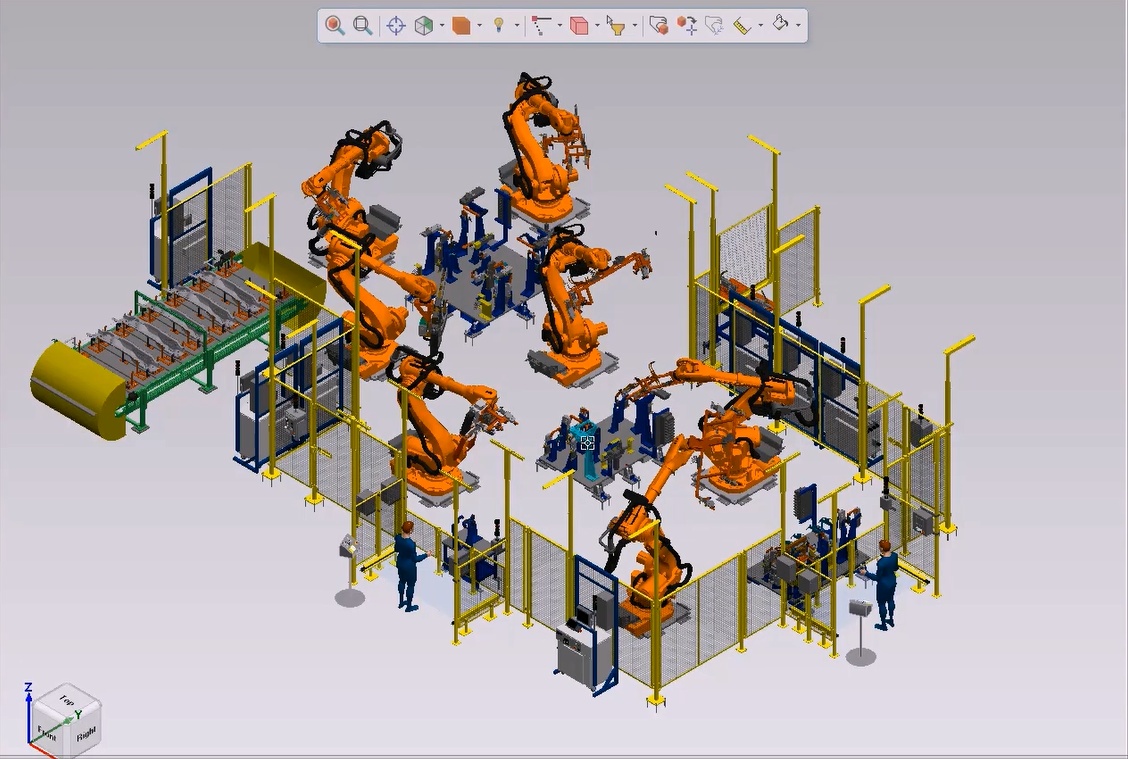
A classroom quiz simulation using AI is a virtual environment that mimics the experience of a traditional classroom quiz. This technology leverages artificial intelligence to create engaging and interactive quizzing experiences, potentially adapting to individual student needs and offering personalized feedback. It aims to enhance learning and assessment in a dynamic and personalized manner.This simulation goes beyond simply presenting questions and answers.
It integrates AI to tailor the experience to each student’s progress, offering opportunities for targeted practice and immediate feedback. This approach helps educators understand student comprehension and identify areas where additional support might be needed.
Types of Quizzes
The AI-powered simulation can replicate various quiz formats. Multiple-choice questions are commonly used, offering students a range of options to select from. True/false questions test fundamental understanding, while short answer questions encourage deeper thinking and analysis. Essay questions, though more complex to simulate, can be adapted to assess more nuanced responses. Fill-in-the-blank questions are also possible, requiring students to recall specific information.
Matching questions, requiring students to link related concepts, can also be effectively simulated.
Levels of Complexity
Quiz simulations can be designed with varying levels of complexity. Basic simulations might focus on fundamental concepts, using simple question formats and straightforward feedback mechanisms. Advanced simulations can incorporate more complex questions, potentially drawing on real-world scenarios or requiring more in-depth analysis. Personalized simulations adapt to each student’s performance, offering tailored questions and feedback. For example, a basic simulation might present simple math problems, while an advanced one might incorporate word problems and complex equations.
Simulation Methods
Different approaches can be used to design the simulation. The table below highlights key characteristics of interactive, adaptive, and automated methods.
| Method | Interactivity | Adaptation | Automation |
|---|---|---|---|
| Interactive | High | Low | Low |
| Adaptive | Medium | High | Medium |
| Automated | Low | Low | High |
Interactive simulations offer a high degree of engagement, allowing students to interact with the material and receive immediate feedback. Adaptive simulations, on the other hand, dynamically adjust the difficulty of questions based on student performance. Automated simulations are characterized by a high degree of automation, handling question presentation and scoring without direct user intervention. For instance, an adaptive simulation might present more challenging questions to students who perform well and easier questions to students who struggle.
An automated simulation might be useful for large-scale assessments, providing a quick and efficient way to grade multiple-choice answers.
AI Tools and Techniques
Creating a robust and engaging classroom quiz simulation requires leveraging the power of Artificial Intelligence. AI tools and techniques enable dynamic question generation, personalized learning experiences, and automated assessment, significantly enhancing the learning process. This approach allows for more efficient and effective teaching and learning, catering to the diverse needs of students.AI algorithms play a crucial role in the simulation, driving the core functionality of the quiz.
Different algorithms excel at specific tasks, from generating questions to adapting the difficulty level to individual student performance. Natural Language Processing (NLP) is instrumental in crafting engaging and understandable questions, while machine learning (ML) provides the engine for personalization. Furthermore, AI automates grading and feedback, freeing up valuable instructor time for other tasks.
AI Algorithms for Question Generation
Various AI algorithms can be employed to generate quiz questions. Rule-based systems, leveraging predefined templates and parameters, are suitable for straightforward factual questions. However, for more complex and nuanced questions, algorithms based on deep learning, such as recurrent neural networks (RNNs) and transformers, can generate higher-quality, more contextually relevant questions. These advanced models can draw upon vast datasets of existing questions and learn to mimic the structure and style of effective exam questions.
For example, a transformer model can analyze the structure of existing questions, identifying patterns in phrasing, vocabulary, and complexity, and then use this knowledge to create new questions that align with those patterns.
Natural Language Processing (NLP) for Question Quality
NLP techniques are essential for ensuring the quality and comprehensiveness of quiz questions. NLP models can analyze questions for clarity, conciseness, and bias. Furthermore, NLP can be used to identify and correct grammatical errors, ensuring the questions are understandable to all students. The use of NLP in question generation can enhance the quiz’s accessibility and engagement, leading to a more effective learning experience.
For example, NLP algorithms can be used to generate multiple-choice questions with varied and accurate answer options.
Machine Learning for Personalized Difficulty
Machine learning algorithms are instrumental in tailoring the quiz difficulty to individual student needs. By analyzing student responses to previous questions, ML models can predict the optimal difficulty level for subsequent questions. This adaptive approach ensures that students are challenged appropriately, maximizing their learning potential. For example, if a student consistently answers easier questions correctly, the difficulty level of the next questions can be adjusted accordingly.
Conversely, if a student struggles with more challenging questions, the difficulty level can be reduced. The algorithm can adjust the difficulty level dynamically throughout the quiz based on the student’s performance.
AI for Automated Grading and Feedback
AI can automate the grading process, saving instructors significant time and effort. Natural Language Processing (NLP) models can be trained to evaluate the correctness of student answers. For example, in a multiple-choice question, NLP models can be trained to identify the correct answer choice based on the question’s context and the answer provided by the student. AI also facilitates the generation of targeted feedback.
Feedback can be personalized, highlighting specific areas where the student needs improvement, providing them with a clear roadmap for future learning. This tailored feedback allows for a deeper understanding of the student’s strengths and weaknesses, improving the effectiveness of the learning process.
Essential AI Libraries and Frameworks
Several AI libraries and frameworks facilitate the development of quiz simulations. TensorFlow and PyTorch are popular deep learning frameworks, offering powerful tools for building complex models for question generation, difficulty adjustment, and automated grading. Scikit-learn provides a range of machine learning algorithms, enabling the implementation of adaptive learning strategies. NLTK (Natural Language Toolkit) and spaCy are essential NLP libraries for processing and analyzing textual data, ensuring the quiz questions are accurate and understandable.
These libraries provide the foundation for building robust and scalable quiz simulations.
- TensorFlow: A comprehensive open-source library for numerical computation, specifically designed for machine learning and large-scale data analysis. It provides the tools necessary for building and training various AI models.
- PyTorch: A Python-based deep learning framework that offers flexibility and ease of use in building and training AI models. It’s known for its dynamic computation graph, which allows for efficient prototyping and experimentation.
- Scikit-learn: A library that offers a variety of machine learning algorithms for tasks such as classification, regression, and clustering. It’s particularly useful for implementing adaptive learning strategies in quiz simulations.
- NLTK (Natural Language Toolkit): A powerful library for working with human language data, providing tools for tasks like tokenization, stemming, and part-of-speech tagging. It’s vital for NLP-based question generation and analysis.
- spaCy: Another NLP library known for its efficiency and performance in natural language processing tasks, making it suitable for handling large text corpora in quiz simulations.
Developing the Quiz Structure

Designing a comprehensive classroom quiz simulation requires careful planning of the quiz structure, encompassing various question types, difficulty levels, and multimedia integration. A well-structured quiz not only assesses student knowledge but also enhances their learning experience by engaging them in diverse question formats. This meticulous design ensures the simulation accurately reflects the intended learning objectives.The structure of the quiz should be tailored to the specific learning objectives of the course material.
The process involves thoughtfully selecting question types that effectively gauge different levels of understanding. This approach will improve the simulation’s effectiveness as a learning tool.
Question Types and Difficulty Levels
The quiz structure should incorporate a variety of question formats, catering to diverse learning styles and cognitive levels. This ensures a comprehensive assessment of student understanding. Different question types target different learning objectives, enabling a more nuanced evaluation of student proficiency.
- Multiple Choice Questions: These questions are ideal for assessing knowledge recall. They present a question followed by several options, only one of which is correct. Example: “Which of the following is the capital of France?” A. Paris, B. London, C.
Rome, D. Berlin. The correct answer is A. Paris.
- Short Answer Questions: These questions encourage the application of knowledge and understanding. Students need to provide concise answers to demonstrate their comprehension. Example: “What is the chemical formula for water?”
- Essay Questions: Essay questions are designed to evaluate critical thinking and higher-order cognitive skills. Students must articulate their responses in a structured format. Example: “Discuss the impact of globalization on developing countries.”
Incorporating Dynamic Questions and Responses
Dynamic questions and responses enhance the simulation’s interactive nature and cater to individual student needs. They adapt to student performance and provide personalized feedback, thus enhancing learning outcomes.
- Dynamic Question Generation: AI tools can be employed to generate multiple variations of the same question, maintaining consistency while ensuring diversity. This approach prevents memorization and fosters deeper understanding.
- Adaptive Difficulty: The simulation can adjust the difficulty of subsequent questions based on student responses. This personalization ensures a challenging but achievable experience for each learner.
- Automated Grading: AI tools can automatically grade multiple-choice and short-answer questions, providing immediate feedback to students and freeing up instructors’ time. This automation streamlines the assessment process and allows for a more focused learning experience.
Multimedia Integration
Multimedia elements, such as images, audio, and video, can significantly enhance the quiz simulation’s engagement and effectiveness. This approach aligns with modern learning trends and enhances the learning experience.
- Clickable Images: Interactive images can provide context and information, making the learning experience more engaging. For example, a clickable map can guide students through historical events.
- Audio Clips: Audio clips can be integrated into questions, providing contextual information or authentic examples, thereby making the learning process more dynamic. This can be used for listening comprehension quizzes.
- Video Clips: Video clips can provide visual demonstrations of concepts or processes. For example, a video clip showing the construction of a machine can be integrated into the quiz to evaluate student understanding.
Interactive Elements
Incorporating interactive elements makes the quiz more engaging and promotes active learning. These elements enhance the simulation by providing a more interactive and responsive learning experience.
- Interactive Diagrams: Interactive diagrams allow students to explore and manipulate visual representations of concepts. This can be used to teach concepts in biology or physics, for example.
- Drag-and-Drop Activities: Drag-and-drop activities can be used to assess students’ understanding of relationships between different concepts. This can be useful for chemistry or social studies quizzes.
Question Type Suitability Table
The following table illustrates the suitability of different question types for various learning objectives:
| Question Type | Learning Objective | Suitability |
|---|---|---|
| Multiple Choice | Knowledge Recall | High |
| Short Answer | Application of Knowledge | Medium |
| Essay | Critical Thinking | Low |
User Interface and Experience
A well-designed user interface (UI) is crucial for a positive and effective classroom quiz simulation. It should be intuitive, visually appealing, and cater to the diverse needs of students. This section details the ideal UI, emphasizing accessibility and user experience (UX) best practices.
Ideal User Interface Design
The UI should be clean and uncluttered, with clear navigation and visual cues. Students should easily locate questions, answer choices, and progress indicators. A consistent design language across all elements is essential for a seamless user experience. Employing color palettes that are not overly stimulating yet visually engaging is vital for optimal focus. The quiz interface should be adaptable to different screen sizes, ensuring a positive experience on desktops, tablets, and mobile devices.
A simple, easily understandable interface promotes engagement and minimizes frustration.
Accessibility Features
Providing accessibility features is paramount to ensuring inclusivity. Students with visual impairments should have access to screen reader compatibility. Features like adjustable font sizes and high contrast modes are vital. Auditory learners may benefit from audio cues, while those with motor impairments need options for alternative input methods. Providing keyboard navigation for all interactive elements is essential.
Incorporating these features allows students with diverse needs to participate fully in the quiz simulation.
User Experience Best Practices
User experience (UX) best practices are essential for an effective quiz simulation. The simulation should be user-friendly, intuitive, and engaging. Provide clear instructions and feedback at each stage. Enable students to review their answers and understand their mistakes. The quiz should progress smoothly and seamlessly, with minimal loading times and interruptions.
A logical and predictable flow minimizes frustration and promotes engagement. A welcoming and supportive tone throughout the quiz will enhance the overall experience.
- Clear Instructions: The quiz should begin with a clear and concise introduction, explaining the purpose of the quiz, the rules, and the expected interaction. Providing a preview of the quiz’s structure (e.g., number of questions, types of questions) enhances the user’s understanding and preparedness.
- Intuitive Navigation: Navigation within the quiz should be straightforward. Clear labels and icons guide users through each stage. Using visual cues (e.g., highlighting active elements) helps maintain clarity.
- Immediate Feedback: The quiz should provide immediate feedback on each answer. Visual cues, such as highlighting correct or incorrect responses, are effective. Detailed explanations or hints for incorrect answers promote learning.
- Progress Tracking: Visual indicators of progress, such as progress bars, provide students with an understanding of their position in the quiz. A clear summary of their performance, including the number of correct and incorrect answers, will provide an overview of their results.
Mockup of a User Interface
| Element | Description |
|---|---|
| Question Area | Displays the quiz question clearly and concisely. |
| Answer Options | Presents multiple-choice options in a user-friendly format, using distinct colors or styles to differentiate choices. |
| Progress Indicator | Shows the current question number and total number of questions. |
| Timer (Optional) | Displays a timer for each question, promoting time management skills. |
| Feedback Area | Provides immediate feedback on the student’s answer (correct/incorrect). For incorrect answers, it displays a brief explanation or hint. |
| Navigation Buttons | Includes buttons for moving to the next question, previous question, or returning to the main menu. |
| Score Display | Provides a running total of the student’s score. |
User Feedback Mechanisms
Collecting user feedback is critical for improving the quiz simulation. Surveys, questionnaires, and focus groups can gather insights from students. Implementing an in-app feedback system allows students to report issues or provide suggestions directly. Analyzing user data (e.g., time spent on each question, common errors) can pinpoint areas needing improvement. Regularly reviewing and updating the quiz based on feedback ensures continuous enhancement and user satisfaction.
Ensuring Engagement and User-Friendliness
To create an engaging UI, incorporate visually appealing elements. Animations and interactive elements can enhance the user experience. A consistent and visually appealing design will keep students engaged. The quiz should be fun and engaging, motivating students to complete the simulation. Employing gamification techniques, such as points or badges, can enhance engagement and motivation.
Utilizing appropriate colors and images can also help.
Implementation and Evaluation
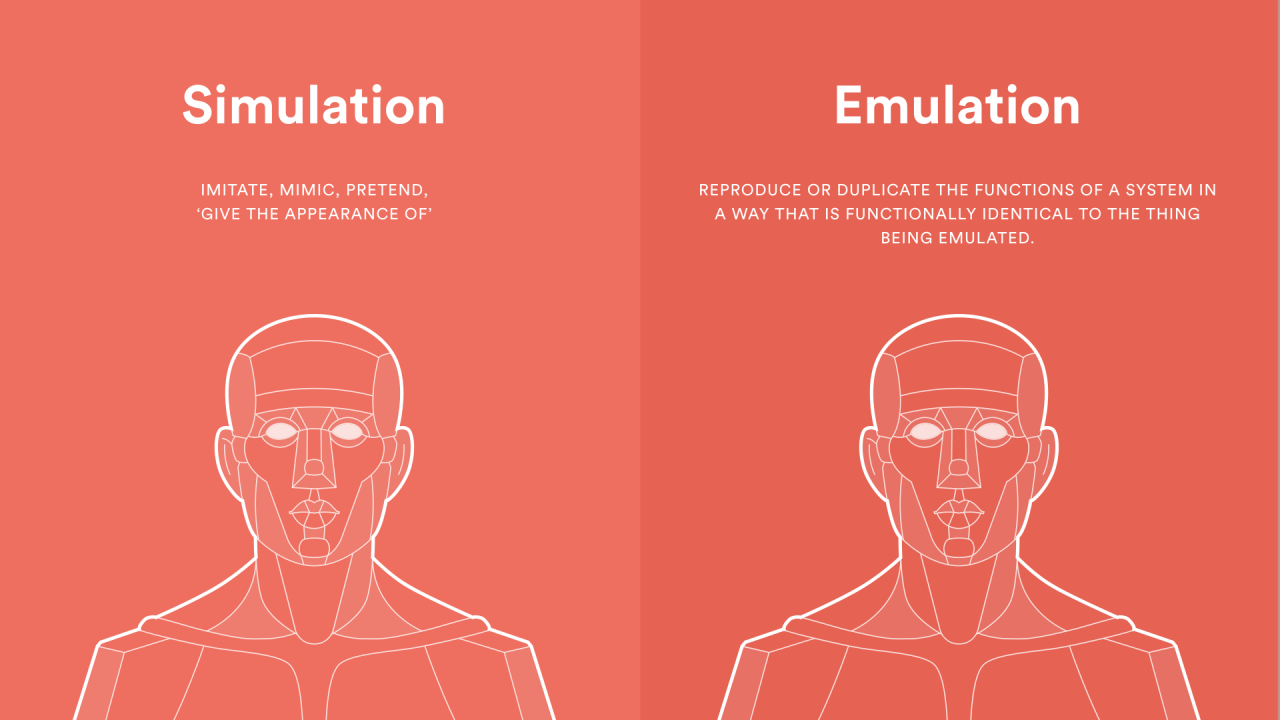
Implementing a classroom quiz simulation powered by AI requires a phased approach, beginning with careful planning and concluding with ongoing evaluation to ensure optimal learning outcomes. This process involves integrating the simulation with existing learning management systems, meticulously designing evaluation metrics, and gathering feedback from both students and instructors.A well-structured implementation strategy ensures the quiz simulation seamlessly integrates into the existing educational framework, enhancing the learning experience without disrupting established routines.
The simulation should be presented as an additional tool rather than a replacement for existing methods.
Implementing the Quiz Simulation
The implementation process should be carefully planned and executed in stages. First, thoroughly test the AI-powered quiz simulation in a controlled environment, ensuring accuracy and efficiency. Next, introduce the simulation gradually to smaller groups of students to identify any technical glitches or usability issues. Finally, deploy the simulation to the entire class, monitoring performance and making adjustments as needed.
Integrating with Learning Management Systems (LMS)
Integration with existing LMS platforms is crucial for seamless data management and accessibility. The quiz simulation should be designed to directly interface with the LMS, automatically recording student performance and providing instructors with reports. This integration streamlines data management, freeing up instructors’ time for other important tasks. Examples of integration include direct submission of results to existing gradebooks, automatic reporting of student performance to instructors, and linking the quiz to specific course modules within the LMS.
Metrics for Evaluating Effectiveness
Several key metrics can gauge the effectiveness of the AI-powered quiz simulation. These include student scores, time spent on each question, and the number of attempts needed to answer questions correctly. Analyzing these metrics provides insights into the simulation’s effectiveness and areas needing improvement. Furthermore, the rate of student engagement and overall satisfaction can be quantified. For example, measuring the average time students spend on the simulation, along with a student satisfaction survey, will provide crucial data points.
Evaluating Impact on Student Learning
To assess the simulation’s impact on student learning, pre- and post-simulation assessments should be administered. This comparison allows for the evaluation of student knowledge gain and the simulation’s role in facilitating learning. Qualitative data, such as student feedback and anecdotal evidence from instructors, can supplement quantitative analysis. Qualitative data provides insights into the simulation’s perceived value and effectiveness from different perspectives.
Gathering Feedback from Students and Instructors
Feedback from both students and instructors is crucial for continuous improvement. Regular surveys and focus groups can collect valuable insights into the strengths and weaknesses of the simulation. Instructors can offer feedback on the difficulty level, clarity of questions, and overall usefulness of the simulation. Students’ feedback should focus on the user experience, the perceived usefulness of the questions, and their overall experience.
Tracking Student Performance Data
The simulation should generate comprehensive reports detailing student performance. These reports should include individual student scores, question-wise performance, and overall class performance. Data analysis will identify areas where students are struggling and allow for targeted interventions. This detailed data enables personalized learning strategies, ensuring all students receive the support they need. For example, students who consistently struggle with specific concepts can be provided with supplementary resources or individualized tutoring sessions.
Final Conclusion

In conclusion, simulating classroom quizzes with AI offers a promising avenue for enhancing the learning experience. By carefully considering the different types of quizzes, AI tools and techniques, quiz structure design, user interface and experience, and implementation and evaluation strategies, educators can create effective and engaging learning environments. This guide provides a practical framework for educators seeking to leverage AI to improve student learning outcomes through dynamic and personalized quiz simulations.