Generating reports with artificial intelligence is revolutionizing data analysis. This comprehensive guide unveils the power of AI in automating report creation, from initial data preparation to final interpretation. Learn how to leverage AI tools for various reporting needs, such as sales, marketing, and finance, achieving speed, accuracy, and cost-effectiveness in your reporting processes.
We’ll explore the diverse landscape of AI reporting tools, helping you select the best fit for your specific needs and budget. This guide also covers critical aspects like data preparation, report definition, and the crucial steps in integrating AI-generated reports into existing systems. We’ll provide a clear understanding of how to interpret these reports, ensuring accurate insights and avoiding potential misinterpretations.
Finally, we’ll discuss best practices to maximize efficiency and security when utilizing AI for report generation.
Introduction to AI-Powered Reporting
AI-powered reporting tools leverage machine learning algorithms to automate the process of data analysis and report generation. These tools can process vast datasets quickly and accurately, producing insightful reports that would be time-consuming and error-prone for humans to create manually. This automation significantly boosts efficiency and allows for a deeper understanding of trends and patterns within data.AI systems can analyze data from various sources, including databases, spreadsheets, and cloud storage.
They can then identify key metrics, calculate trends, and create visual representations of the data, such as charts and graphs. The resulting reports are tailored to the user’s specific needs and preferences.
Types of Reports Generated by AI
AI can generate a wide array of reports, adapting to diverse business needs. These reports encompass crucial areas such as sales, marketing, and finance. For instance, sales reports can track performance metrics, highlight top-performing products, and predict future sales. Marketing reports can monitor campaign effectiveness, measure customer engagement, and analyze marketing ROI. Financial reports can summarize key financial data, predict future cash flows, and evaluate profitability.
The specific metrics and insights derived from these reports depend on the input data and the desired outcomes.
Comparison of Manual vs. AI-Driven Report Creation
The following table provides a comparison of manual and AI-driven report creation methods, highlighting the significant advantages of AI.
| Feature | Manual Report Creation | AI-Driven Report Creation |
|---|---|---|
| Speed | Time-consuming, potentially taking days or weeks depending on data volume and complexity. | Fast, often generating reports in minutes or hours, regardless of the data size. |
| Accuracy | Prone to errors in data entry, calculations, and interpretation. | High accuracy due to automated data processing and calculation. |
| Cost | High, requiring significant human resources (analysts, data entry personnel, etc.). | Potentially lower, reducing the need for extensive manual labor. |
| Flexibility | Limited, often requiring significant effort to adapt to changing needs and requirements. | Highly flexible, easily adaptable to new data sources and reporting needs. |
| Scalability | Difficult to scale for large datasets and complex reporting needs. | Easily scalable to handle massive datasets and varied reporting demands. |
Choosing the Right AI Tool
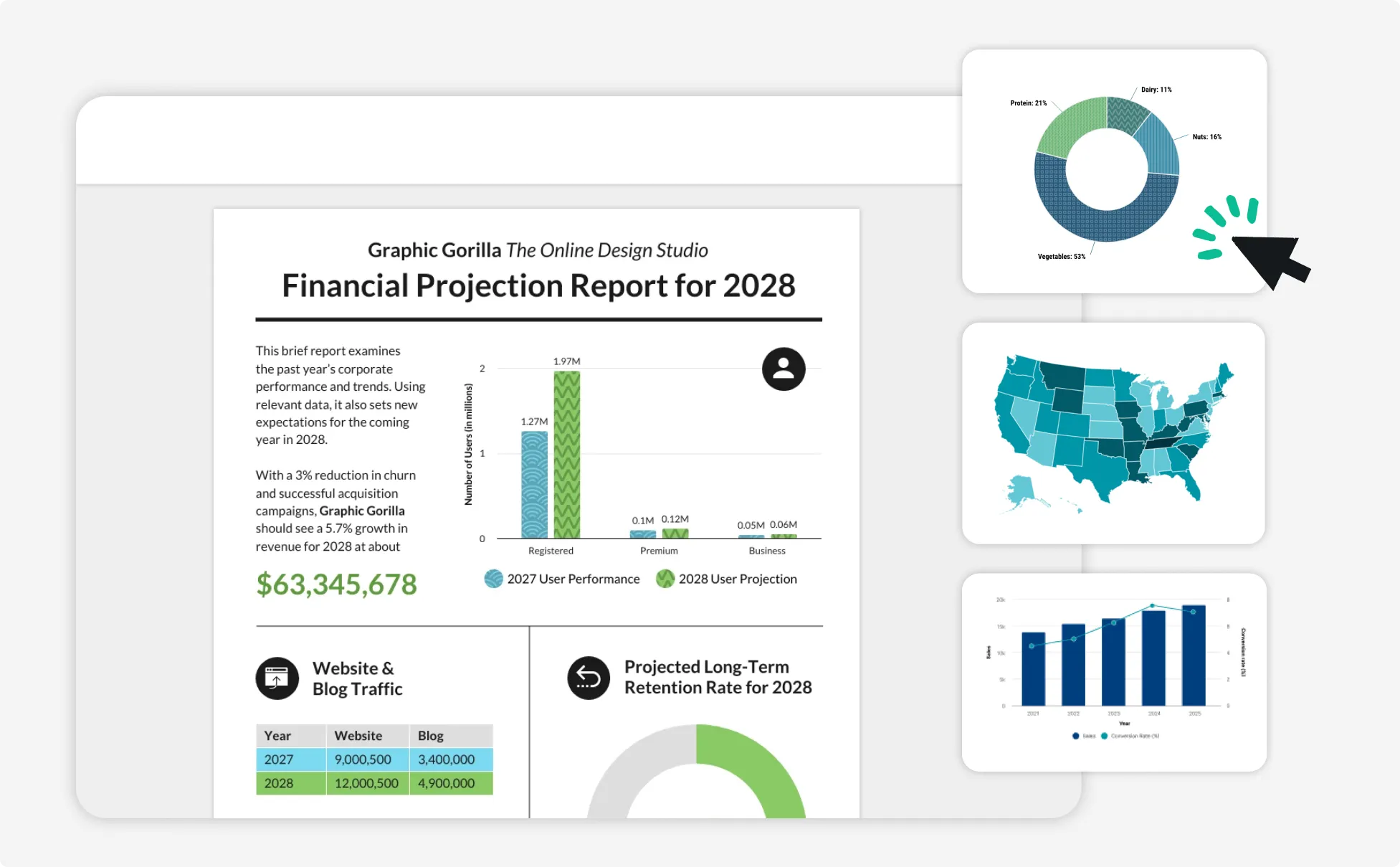
Selecting the appropriate AI tool for report generation is crucial for maximizing efficiency and achieving desired outcomes. Careful consideration of available platforms, key features, and pricing models will ensure a suitable fit for your specific needs. This section will guide you through the process of identifying the ideal AI tool for your reporting requirements.Choosing the right AI reporting tool involves understanding the various platforms available, the specific features that align with your needs, and the different pricing structures offered.
A well-informed decision will lead to a streamlined reporting process, allowing you to focus on the insights derived from your data.
Available AI Platforms/Tools
Various AI platforms and tools cater to different report generation needs. Some prominent examples include tools from leading AI companies and specialized platforms tailored for specific industries. The availability of these tools underscores the growing importance of AI in streamlining report generation. A comprehensive understanding of these options is crucial for making an informed decision.
- General-purpose AI platforms:
- These platforms often offer broader capabilities, potentially covering a wider range of reporting tasks. Their versatility makes them suitable for organizations with diverse reporting needs.
- Specialized AI reporting tools:
- Tailored to particular industries or report types, these tools excel in handling specific data sets and formats. They often provide advanced functionalities for specific reporting needs, like financial analysis or scientific research.
Key Features to Look For
Evaluating potential AI tools necessitates a focus on specific features. These features will significantly impact the tool’s effectiveness in your workflow.
- Data input flexibility:
- The ability to seamlessly integrate with various data sources and formats is essential. This ensures that the tool can handle your existing data structures and prevent data loss or transformation issues.
- Report customization options:
- Customization options are vital to tailor reports to your specific requirements. The flexibility to adjust the layout, visualizations, and content is crucial for conveying information effectively.
- Integration capabilities:
- Integration with existing systems is crucial for smooth data flow and automation. Seamless integration with your current platforms, such as CRM or ERP systems, reduces manual effort and potential errors.
- Output format versatility:
- The tool should be able to produce reports in various formats, including PDF, Excel, or interactive dashboards, to accommodate different presentation preferences and usage scenarios.
Pricing Models Comparison
Different AI reporting tools employ various pricing models. Understanding these models is crucial for budgeting and forecasting associated costs.
- Subscription-based models:
- These models typically involve a recurring fee, often based on the number of users, data volume processed, or the complexity of the reports generated. This approach offers predictability and scalability.
- Per-report pricing:
- Some tools charge a fee per generated report. This model might be suitable for infrequent or smaller reporting needs, but it can become costly for high-volume reporting requirements.
- Pay-as-you-go models:
- This model involves charging for the specific resources used, making it adaptable to variable needs and potentially more economical for smaller datasets or less intensive report generation.
Pros and Cons Table
The following table Artikels the potential advantages and disadvantages of different AI report generation tools. Careful consideration of these factors will assist in making an informed decision.
| AI Reporting Tool | Pros | Cons |
|---|---|---|
| Tool A | High customization, extensive integrations, flexible pricing | Steeper learning curve, potentially higher initial investment |
| Tool B | User-friendly interface, readily available support, affordable pricing | Limited customization options, fewer integrations |
| Tool C | Industry-specific features, advanced analytics, scalability | Higher subscription costs, less flexibility in report customization |
Preparing Data for AI Reporting
High-quality data is the bedrock of accurate and reliable AI-powered reports. Without meticulous preparation, even the most sophisticated AI models can produce flawed or misleading results. This section details the crucial steps involved in cleaning and preparing data for AI reporting, highlighting common issues and their resolutions.Data quality significantly impacts the accuracy and reliability of AI-generated reports. Inaccurate or incomplete data can lead to flawed insights and potentially costly decisions.
By meticulously preparing the data, we can ensure that the AI model receives the most accurate and complete information possible, leading to reliable and actionable results.
Importance of Data Quality
Data quality is paramount in AI reporting. Inaccurate or incomplete data can lead to incorrect conclusions and potentially costly errors in decision-making. Data quality issues include missing values, inconsistencies, errors, and outliers. Addressing these issues is essential to ensure the reliability and validity of AI-generated reports.
Data Cleaning and Preparation Steps
Data cleaning and preparation are essential steps in the AI reporting process. They involve identifying and rectifying errors, inconsistencies, and inaccuracies in the data. These steps ensure the AI model receives high-quality input, leading to more accurate and reliable reports.
| Step | Description | Example |
|---|---|---|
| 1. Data Collection and Inspection | Gather the data and examine its structure, format, and content. Identify potential issues like missing values, duplicates, or inconsistencies. | Collecting sales data from various sources (e.g., spreadsheets, databases) and checking for discrepancies in date formats, currency symbols, or product codes. |
| 2. Data Validation | Verify the accuracy and completeness of the data. Check for logical inconsistencies, outliers, and unusual values. | Ensuring that sales figures for a product are not significantly higher than expected, based on historical trends or market analysis. |
| 3. Data Transformation | Convert data into a format suitable for AI processing. This might involve changing data types, standardizing units, or creating new variables. | Converting dates from different formats into a consistent format (e.g., YYYY-MM-DD) or converting categorical data into numerical representations (e.g., using one-hot encoding). |
| 4. Data Imputation | Fill in missing values with appropriate estimates or approximations. | Using the mean or median of existing values to fill in missing sales figures for a particular product category. |
| 5. Data Normalization | Scale the data to a specific range, ensuring that features with larger values do not dominate the analysis. | Scaling sales figures for different products to a common scale (e.g., 0-1) to prevent one product with significantly higher sales figures from disproportionately influencing the model. |
| 6. Data Filtering and Selection | Remove irrelevant or unnecessary data. Focus on the most relevant aspects for the analysis. | Filtering out sales data from specific regions or customer segments that are not relevant to the current report. |
| 7. Data Outlier Handling | Identify and address outliers (data points that deviate significantly from the rest of the data). Decide whether to remove, adjust, or retain them based on the context. | Identifying unusually high sales figures for a specific product, potentially due to a promotional event or an error, and investigating further. |
Common Data Issues and Resolutions
Several common data issues can affect the accuracy and reliability of AI reports. These include missing values, inconsistent formats, and outliers.
- Missing Values: Missing data points can skew the results of an AI model. Techniques such as imputation, which estimates missing values based on existing data, can help address this issue. Using the mean or median of the available data to replace missing values is a common method.
- Inconsistent Formats: Data from different sources might have varying formats (e.g., date formats, currency symbols). Standardizing the formats is crucial to ensure accurate processing by the AI model. A common example is converting all dates to a uniform format.
- Outliers: Outliers are data points that deviate significantly from the rest of the data. These can distort the results of an AI model. Identifying and handling outliers requires careful consideration, as they can represent genuine anomalies or errors. Techniques for outlier detection and handling vary based on the context of the data and the specific model used.
Defining Report Requirements

Defining the precise needs of a report is crucial for generating valuable insights using AI. A well-defined report Artikels the specific information required, ensuring the AI tool produces the desired output. This involves identifying the key questions to be answered and the data necessary to answer them. Clear report requirements streamline the process and lead to more effective reporting.Defining report requirements involves a multifaceted approach.
First, one must determine the purpose of the report. Is it for internal analysis, external communication, or a combination of both? Second, identify the target audience for the report. The level of detail and complexity should be tailored to the audience’s knowledge and understanding. Finally, consider the time frame for the report.
Is it a daily, weekly, monthly, or ad-hoc report? These considerations collectively determine the specific elements of the report.
Specific Report Needs
Understanding the exact information needed is fundamental to creating effective reports. This involves clearly articulating the key questions the report should address. For example, if the report is about sales performance, the questions might include “What are the top-selling products?”, “Which regions are performing best?”, and “What are the key trends in sales over time?”. These specific questions will help guide the data selection and analysis process.
The questions also determine the required level of detail in the data and the desired visualization methods.
Report Formats
Various report formats cater to different needs and audiences. Choosing the appropriate format enhances understanding and facilitates decision-making.
- Charts: Charts effectively visualize trends, comparisons, and distributions. Bar charts, line charts, and pie charts are commonly used to present data visually, making it easier to spot patterns and anomalies. For instance, a bar chart can illustrate the sales performance of different products.
- Tables: Tables provide a structured and organized representation of data. They are ideal for presenting detailed numerical information, facilitating precise comparisons and calculations. For example, a table can list the sales figures for each product category.
- Graphs: Graphs visually represent relationships between variables. Scatter plots, histograms, and area charts are examples of graphs, enabling users to identify correlations and patterns in the data. A scatter plot, for instance, can show the correlation between advertising spend and sales.
Articulating Requirements to AI Tools
Effectively communicating report requirements to an AI tool is essential for achieving the desired output. The AI tool needs precise instructions on what data to use, how to process it, and what format to deliver the report in. This clear communication involves using s and specific formatting that the AI tool understands.
- Data Sources: Specify the data sources to be used. This might include specific spreadsheets, databases, or external APIs. For example, “Use data from the ‘Sales.csv’ file located in the ‘Data’ folder.”
- Variables: Clearly define the variables of interest. For example, “Analyze sales figures for the ‘Electronics’ category in the ‘North America’ region.”
- Visualization: Specify the desired format, such as charts, tables, or graphs. For example, “Present the data in a bar chart showing sales by product.”
Examples of Report Types and Visualizations
The table below illustrates various report types and their corresponding visualizations.
| Report Type | Visualization | Description |
|---|---|---|
| Sales Performance by Region | Bar Chart | Displays sales figures for each region, allowing comparison. |
| Customer Demographics | Pie Chart | Illustrates the distribution of customers across different demographics. |
| Product Profitability | Table | Presents detailed profitability figures for each product. |
| Sales Trend Over Time | Line Chart | Visualizes the sales trend over a specified period. |
Utilizing AI for Report Generation
Harnessing the power of AI for report generation significantly streamlines the process, enabling quicker insights and more informed decision-making. This section details the practical application of AI tools, from data input to report configuration and generation. Understanding these steps is crucial for effectively leveraging AI’s capabilities to create insightful and actionable reports.
Inputting Data into the AI Tool
Data preparation is paramount for accurate and reliable AI-generated reports. This involves ensuring the data format is compatible with the chosen AI tool. The tool’s documentation typically Artikels the accepted data formats, which might include CSV, JSON, or other structured formats. Data validation is essential. This process checks for inconsistencies, missing values, and data types to prevent errors during report generation.
Configuring the AI Tool for Desired Reports
AI tools offer various configuration options to tailor reports to specific needs. These options typically include specifying the data fields to be included, the desired visualization types (e.g., charts, tables), and the level of detail required. Customizable parameters often allow users to control aspects like aggregation levels, filters, and sorting criteria. Proper configuration ensures the generated reports accurately reflect the intended analysis.
The AI’s Report Generation Process
The AI’s report generation process typically involves several key steps. First, the AI tool processes the input data, converting it into a usable format. Second, it applies the specified configurations to extract relevant information. Third, it employs algorithms to analyze the data and identify patterns or trends. Finally, it presents the results in the chosen format, often generating charts, tables, or other visualizations.
The specific algorithms and processes vary based on the complexity of the report and the capabilities of the AI tool.
Generating a Sales Performance Report
This section Artikels the steps involved in generating a sales performance report using an AI tool. A well-structured approach is critical to produce meaningful results.
- Data Input: Upload the sales data in a CSV format, ensuring the columns accurately represent sales representatives, product categories, sales amounts, and dates. Validate the data to identify and correct any inconsistencies.
- Configuration: Specify the desired report parameters, including the sales representatives to be analyzed, product categories to be included, and the date range for the analysis. Choose a bar chart visualization to display sales performance by representative and product category.
- AI Report Generation: The AI tool processes the data, applies the configurations (filters and aggregations), and generates a report. The output will be a bar chart showing sales performance for each sales representative across different product categories. The report will also include a table with aggregated data.
Example of Data Input for a Sales Report
| Sales Representative | Product Category | Sales Amount | Date |
|---|---|---|---|
| Alice | Electronics | 1500 | 2024-01-15 |
| Bob | Clothing | 1200 | 2024-01-15 |
| Alice | Electronics | 2000 | 2024-01-20 |
Customizing AI-Generated Reports
AI-powered reporting tools offer a significant advantage by automating the report generation process. However, a truly valuable report often requires tailoring to specific needs. Customizing AI-generated reports allows for greater control over the presentation, content, and format, ensuring the report accurately reflects the desired insights.Customizing an AI-generated report involves modifying the layout, design, and data elements to align with specific business requirements.
This process enhances the report’s clarity and usability, making it more effective in conveying crucial information. The customization options vary depending on the chosen AI tool, offering flexibility in adapting the output to specific needs.
Modifying Report Layout and Design
AI reporting tools typically provide a range of layout and design customization options. These options allow users to adjust the visual appearance of the report to enhance readability and aesthetic appeal. Elements like font styles, colors, and the arrangement of charts and tables can be modified to suit the intended audience and the report’s overall purpose. Some tools even permit the insertion of company logos or branding elements for a more professional presentation.
Customizing Data Elements
AI tools allow for adjustments to the data included in the report. Users can add or remove specific data elements, tailoring the report to focus on the most critical metrics. This feature is particularly helpful when analyzing large datasets, enabling users to zero in on the information that directly addresses their specific needs. A user may, for example, want to eliminate irrelevant details to avoid clutter or include additional elements that provide a more comprehensive view.
Example of Customizing a Report with Added Elements
Consider a report generated by an AI tool that summarizes sales performance. The initial report might include total sales, average order value, and customer acquisition cost. A user might want to further analyze the performance of different product categories. To achieve this, they could add a column to a table displaying sales figures broken down by product category.
| Product Category | Total Sales | Average Order Value |
|---|---|---|
| Electronics | $10,000 | $200 |
| Clothing | $8,000 | $150 |
| Home Goods | $6,000 | $100 |
This addition allows for a deeper analysis of sales performance across different product categories, enabling more insightful decision-making. This enhanced report provides a more detailed and useful overview of the sales data.
Interpreting AI-Generated Reports

AI-powered reporting tools offer valuable insights, but the ability to correctly interpret these insights is crucial for effective decision-making. A report’s output, however insightful, is only as valuable as the user’s understanding of its meaning. Carefully interpreting AI-generated reports ensures that the derived conclusions are accurate and actionable.Understanding the underlying data and methodology employed by the AI model is essential to correctly interpreting the generated reports.
This involves recognizing the limitations of the model, and acknowledging potential biases in the data it was trained on. Interpreting the reports in context with other relevant information is critical for ensuring a holistic and accurate understanding.
Importance of Understanding Report Output
Correct interpretation of AI-generated reports is paramount for effective decision-making. A clear understanding of the report’s output allows for informed actions based on the insights gleaned. Misinterpretations can lead to poor strategic choices, missed opportunities, and potentially detrimental outcomes. Accurate interpretation ensures the best possible use of the insights generated.
Interpreting Insights from AI-Generated Reports
Interpreting insights involves more than just reading the report. It requires a deep understanding of the context, the data used, and the algorithms employed by the AI. This necessitates a methodical approach that includes considering potential biases in the data, and evaluating the methodology of the AI model used. Crucially, comparing the AI-generated insights with existing knowledge and other relevant information is essential.
Potential for Misinterpretations
Misinterpretations can arise from several factors. The AI model might have limitations in handling complex or nuanced data. The data itself may contain biases that the model has learned, leading to skewed results. Furthermore, users may lack a comprehensive understanding of the underlying data or methodology, leading to misinterpretations. Another potential source of misinterpretation is the presence of outliers or anomalies in the data that the AI model might not have properly accounted for.
Methods for Ensuring Accurate Interpretation
To ensure accurate interpretation, a systematic approach is vital. This includes verifying the accuracy of the data used in the report. Understanding the limitations of the AI model and its training data is also critical. Comparing the AI’s findings with existing data and other sources of information helps in validating the results. Finally, seeking expert input and conducting rigorous validation processes are essential for ensuring the reports are interpreted accurately.
- Data Validation: Verify the data source, ensuring its accuracy and completeness. Look for potential errors or inconsistencies in the dataset that could influence the AI model’s output. This includes checking for missing values, outliers, and potential data entry errors.
- Model Understanding: Familiarize yourself with the AI model’s capabilities and limitations. Identify potential biases or limitations of the AI’s training data. The more you understand the model, the more effectively you can interpret its output.
- Contextual Analysis: Place the AI’s findings within the broader context of the problem or situation being analyzed. Compare the results with existing knowledge and relevant information to confirm their validity.
- Expert Review: Seek expert opinion or guidance to ensure the interpretation is accurate and aligns with the overall objectives.
Integrating AI Reports into Existing Systems
Integrating AI-generated reports into existing business systems is crucial for maximizing the value of AI-powered insights. A seamless integration streamlines workflows, enabling data-driven decision-making and improved operational efficiency. This process requires careful planning and execution to ensure compatibility and user-friendliness.Effective integration leverages existing infrastructure, minimizing disruptions and maximizing the return on investment in AI technology. This process allows organizations to leverage the power of AI while maintaining familiar and efficient business processes.
Methods for Integrating AI Reports
Integrating AI reports requires a structured approach that considers the existing systems and workflows. A variety of methods can be employed, ranging from simple data feed integrations to more complex system-level connections.
- API Integration: Using Application Programming Interfaces (APIs) allows for direct data exchange between the AI reporting system and other applications. This method is commonly used for connecting to CRM, ERP, or other business intelligence platforms. It enables real-time data synchronization, ensuring reports are consistently updated. For instance, an e-commerce company can utilize an API to feed sales data into an AI reporting system, generating reports on customer behavior and sales trends, which can then be displayed on the company’s dashboard.
- Data Warehousing Integration: AI reporting systems can be configured to pull data from a company’s data warehouse or data lake. This method provides a central repository for all relevant data, enabling a holistic view of business performance. Data warehousing solutions facilitate data transformations and aggregations necessary for AI-powered analysis. For example, a financial institution might use a data warehouse to integrate transaction data, customer information, and market trends to generate AI-powered reports that predict customer churn or identify high-risk accounts.
- Custom Scripting: In cases where standard integration methods are insufficient, custom scripting can be employed to bridge the gap between AI reporting systems and other software. This involves developing custom code that allows data transfer and manipulation, tailored to specific business needs. A healthcare organization, for instance, could use custom scripting to integrate patient data from disparate systems into an AI reporting system for predictive analysis of disease outbreaks.
Workflow Examples
Different workflows require different integration approaches. Analyzing these workflows helps tailor the integration process to the specific needs of the organization.
- Sales Reporting Workflow: An e-commerce company might integrate AI-generated sales reports into its sales pipeline management software. The AI reports, detailing sales trends and customer behavior, could be automatically fed into the sales pipeline, providing sales teams with actionable insights to improve their performance. This streamlines the sales process by providing data-driven guidance to sales representatives.
- Marketing Reporting Workflow: A marketing team can integrate AI-generated reports into their campaign management system. These reports, containing insights into customer engagement and campaign performance, would inform subsequent marketing campaigns. This results in more effective and targeted marketing strategies, increasing ROI and customer engagement.
Steps Involved in Integration
A systematic approach ensures a smooth and efficient integration process. These steps guide the process from initial planning to final deployment.
- Assessment of Existing Systems: Identify the relevant systems and their data sources. Determine the data points needed for the AI reports and the current format of the data.
- AI Report Specification: Define the desired output of the AI reports, including the specific metrics and visualizations.
- Integration Planning: Choose the appropriate integration method (API, data warehousing, or custom scripting) and create a detailed plan outlining the steps involved.
- Data Migration: Transfer the necessary data to the AI reporting system, ensuring data quality and consistency.
- System Testing: Validate the integration process by testing the AI reports with sample data.
- Deployment and Monitoring: Deploy the integrated AI reports into the workflow and monitor the system for any issues.
Process Flow Diagram
The following diagram illustrates the process of integrating an AI report into a company’s existing systems.
| Step | Description |
|---|---|
| 1 | Assess existing systems and data sources |
| 2 | Define AI report specifications |
| 3 | Choose integration method (API, data warehousing, custom scripting) |
| 4 | Plan integration steps |
| 5 | Migrate data to AI reporting system |
| 6 | Test the integration with sample data |
| 7 | Deploy and monitor the integrated AI reports |
Best Practices for AI Report Generation
AI-powered report generation offers significant advantages in terms of speed, accuracy, and insightful analysis. However, achieving optimal results requires a structured approach. This section Artikels best practices to ensure effective and efficient AI report generation.Effective AI reports are built on a foundation of well-defined requirements, high-quality data, and a deep understanding of the tool being used. Following best practices throughout the process, from data preparation to report interpretation, will maximize the value derived from AI-generated reports.
Creating Effective AI Reports
Thorough planning is crucial for producing effective AI reports. Clearly defining the report’s purpose and target audience ensures the generated report addresses the specific needs and expectations of the intended recipients. Consider the desired level of detail, the key performance indicators (KPIs) to be highlighted, and the overall narrative to be conveyed. This proactive approach helps avoid unnecessary complexity and ensures the report is focused and impactful.
Optimizing Report Generation Time and Efficiency
Efficient data preparation is essential for minimizing report generation time. Data quality directly impacts the accuracy and speed of AI report generation. By ensuring data consistency, accuracy, and completeness, the AI model can perform its analysis more effectively and rapidly. Using data validation techniques and cleaning procedures will save time in the long run. Prioritize data structuring, employing consistent formats and appropriate data types, to optimize report generation speed and avoid errors.
Security Considerations in AI Report Generation
Data security is paramount when using AI for report generation. Implementing robust security measures protects sensitive information and ensures compliance with data privacy regulations. Employing encryption techniques for data storage and transmission is crucial. Access controls and user authentication are vital for preventing unauthorized access to sensitive information and ensuring data integrity. Regular security audits are essential to identify vulnerabilities and mitigate potential risks.
Optimizing Report Generation Through Data Selection and Formatting
Selecting the appropriate data is critical for generating accurate and relevant reports. Identify the data fields most relevant to the report’s objective. Focus on data that aligns with the report’s intended use and desired insights. Ensure data integrity and accuracy by validating data sources and employing data cleansing techniques. Appropriate data formatting, including consistent units of measurement and standardized data structures, will facilitate efficient report generation and avoid errors.
Example of Data Selection and Formatting
Imagine a report analyzing sales performance across different regions. Instead of using raw sales data from various formats (e.g., Excel sheets with inconsistent currencies and units), the data should be standardized to a single format (e.g., CSV with a consistent currency and sales unit). This structured format enables the AI model to process data efficiently and accurately. Using data from a reliable source and validating it will produce more accurate results.
Closure

In conclusion, this guide has provided a thorough overview of the process of generating reports with AI. By understanding the various stages, from data preparation to integration, and by considering best practices, you can effectively leverage AI to streamline your reporting procedures. This approach not only saves time and resources but also allows for more insightful and accurate analysis of your data.
We hope this guide empowers you to generate effective and insightful reports using the power of artificial intelligence.