Harnessing the power of artificial intelligence to manage tasks is revolutionizing productivity. This guide dives deep into the fascinating world of AI-powered to-do lists, exploring their diverse functionalities and practical applications. From the evolution of traditional task management tools to the cutting-edge capabilities of AI, we’ll examine the intricacies of creating efficient and personalized to-do lists.
This exploration will cover various types of AI to-do lists, from basic to advanced collaborative and predictive models. We will analyze the methods of inputting tasks, ranging from voice commands to image recognition, highlighting their strengths and limitations. Further, we’ll delve into essential features like task prioritization, deadline reminders, and automated task dependency management. The guide will also discuss how AI adapts to user preferences and workflows, generating personalized and customized task lists.
The discussion will extend to integrations with other tools, security and privacy considerations, and emerging trends in AI-powered task management.
Introduction to AI-Powered To-Do Lists
The traditional to-do list, a simple yet powerful tool for task management, has evolved significantly over the years. From handwritten lists to digital apps, the fundamental concept of organizing tasks remains constant. However, the introduction of artificial intelligence (AI) is poised to revolutionize this practice, offering a more sophisticated and proactive approach to managing our daily and professional commitments.AI-powered to-do lists go beyond simply organizing tasks; they leverage machine learning algorithms to analyze user patterns, predict potential delays, and proactively suggest optimal strategies for task completion.
This proactive approach can significantly enhance productivity and reduce stress associated with managing complex workloads.
The Evolution of Task Management Tools
Task management tools have undergone a remarkable transformation. Early forms of task management relied heavily on physical methods, such as paper-based calendars and notebooks. The advent of personal computers and the internet ushered in a new era of digital tools, from simple to-do list applications to sophisticated project management software. These digital tools offered greater flexibility and organization, allowing for easier tracking, collaboration, and delegation.
AI Enhancement of Traditional To-Do Lists
AI can augment the traditional to-do list in several ways. Instead of just listing tasks, AI-driven systems can prioritize tasks based on urgency, deadlines, and dependencies. They can also learn individual user preferences and adapt task scheduling accordingly. Furthermore, AI can analyze historical data to predict potential roadblocks and suggest alternative strategies to mitigate them.
A Basic Framework for an AI-Driven To-Do List System
A basic AI-driven to-do list system would incorporate several key components. Firstly, it needs a robust data input mechanism to capture task details, including deadlines, priorities, and dependencies. Secondly, a sophisticated algorithm should analyze this data to predict potential delays and suggest alternative solutions. Finally, the system should provide clear visualizations and notifications to ensure users are kept informed of progress and potential issues.
This framework would provide users with a proactive and intelligent task management experience.
Benefits of Integrating AI into Task Management
Integrating AI into task management offers numerous advantages. Increased efficiency is a key benefit, as AI prioritizes tasks and suggests optimal strategies. Reduced stress is another outcome, as AI helps manage potential delays and provides alternative solutions. Improved accuracy and adherence to deadlines are possible, as AI tracks tasks and provides reminders. Finally, AI can empower users to focus on strategic work by automating routine tasks and providing insights into project timelines.
The ability to adapt to individual work patterns is also an invaluable aspect.
Types of AI To-Do Lists
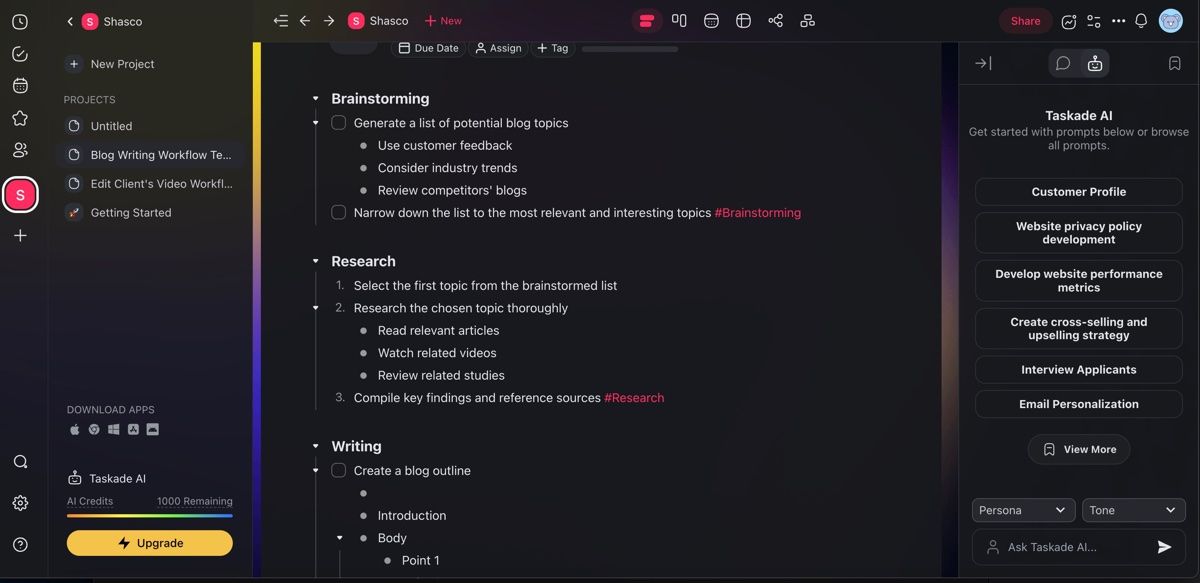
AI-powered to-do lists are evolving beyond simple task management tools. They are increasingly incorporating intelligent features that adapt to user needs and preferences, offering a more streamlined and efficient way to manage daily tasks. This evolution allows for a variety of approaches, leading to different types of AI to-do lists.Different types of AI to-do lists cater to diverse user needs and preferences, from basic task management to sophisticated collaboration and proactive scheduling.
Understanding these types allows users to choose the list that best suits their workflow and goals.
Basic AI To-Do Lists
Basic AI to-do lists primarily focus on automating simple task management. These lists leverage AI to enhance the organization and prioritization of tasks, but they often lack more advanced features like collaborative workspaces or predictive scheduling.These lists typically offer features such as automatic task categorization, smart reminders, and basic prioritization based on deadlines and importance. They excel in streamlining daily tasks, but may not be suitable for complex projects or collaborative environments.Example: A basic AI to-do list might automatically categorize tasks as “work,” “personal,” or “errands” and prioritize them based on deadlines.
Reminders could be set with customizable notifications.
Collaborative AI To-Do Lists
Collaborative AI to-do lists are designed for shared task management, particularly in team settings. These lists enable multiple users to contribute, view, and update tasks simultaneously. Real-time updates and communication features are integral to this type of list.Features of collaborative AI to-do lists include shared task creation, version control, and communication channels for discussions related to specific tasks.
They are well-suited for teams working on projects, enabling seamless collaboration and task synchronization.Example: A collaborative list could allow team members to add tasks, assign responsibilities, track progress, and discuss task details directly within the list. This fosters real-time communication and transparency.
Predictive AI To-Do Lists
Predictive AI to-do lists go beyond task management by forecasting potential delays or bottlenecks in project timelines. These lists leverage historical data and user patterns to provide insights into potential issues and offer proactive solutions.Features of predictive lists include intelligent task prioritization based on historical completion times, estimations of project completion dates, and identification of potential roadblocks. These features help to proactively address issues before they significantly impact project schedules.Example: A predictive list might analyze past project data to predict potential delays based on task dependencies.
It could then suggest alternative solutions or resource allocation to mitigate these risks.
Comparison Table
| Type | Functionality | Features | Pros | Cons |
|---|---|---|---|---|
| Basic | Simple task management | Categorization, prioritization, reminders | Easy to use, affordable | Lacks collaboration, prediction |
| Collaborative | Shared task management | Real-time updates, shared tasks, communication | Enhanced teamwork, improved communication | Requires user coordination, can be complex |
| Predictive | Intelligent task scheduling | Historical data analysis, proactive solutions, estimations | Improved project management, proactive risk mitigation | Requires comprehensive historical data, may not be suitable for all projects |
Input Methods for AI To-Do Lists
AI-powered to-do list applications offer diverse input methods, significantly enhancing user experience and task management efficiency. These methods range from familiar text entry to innovative voice commands and image recognition, catering to varied user preferences and needs. This section explores these input methods, highlighting their respective strengths and limitations.Understanding the strengths and weaknesses of each input method is crucial for selecting the optimal approach.
A user-friendly interface that adapts to different input preferences ensures seamless integration and user satisfaction. Different input methods can be combined for greater flexibility.
Voice Input
Voice input offers a hands-free approach to task creation. Users can verbally dictate tasks, eliminating the need for typing. This method proves particularly helpful during activities where using a keyboard or touchscreen is inconvenient, such as while driving or exercising.
- Accuracy: Voice recognition technology has advanced significantly, leading to improved accuracy rates. However, subtle variations in accents, background noise, and speech patterns can still impact accuracy. Complex or nuanced tasks may require more precise wording and repetition.
- Efficiency: Voice input can be significantly faster than text entry for simple tasks. However, for complex tasks requiring detailed instructions or multiple steps, the speed advantage might diminish.
- Limitations: Ambiguous or incomplete instructions are common in voice input, necessitating AI to interpret and fill in the missing details. Additionally, background noise and accents can hinder accurate recognition. Ensuring adequate privacy and security for voice data is crucial.
Text Entry
Text entry remains the most prevalent method for inputting tasks. Its familiar format allows for precise descriptions and detailed instructions. Users can utilize keyboard shortcuts, auto-complete functions, and other tools to enhance efficiency.
- Accuracy: Text entry allows for precise task descriptions and instructions, leading to high accuracy. The lack of ambiguity often results in higher clarity compared to other methods.
- Efficiency: Efficiency depends on the user’s typing speed and familiarity with the platform’s features. With practice and the use of templates, efficiency can be enhanced.
- Limitations: Text entry can be slower than voice input for simple tasks, especially for users with limited typing skills. Users must type out the task, which can be a barrier to those with limited typing abilities.
Image Recognition
Image recognition input offers a unique approach to task creation. Users can capture an image of a physical item or scene, and the AI can interpret the context of the image to infer tasks. This method is particularly useful for creating tasks related to visual cues or physical objects.
- Accuracy: Image recognition accuracy depends heavily on the clarity of the image and the AI’s training data. Complex or cluttered images may reduce accuracy. Recognizing context and intent from images can be challenging for the AI.
- Efficiency: Efficiency depends on the complexity of the task and the clarity of the image. Simple tasks may be easily recognized, while more complex scenarios require more detailed images and extensive AI training.
- Limitations: Ambiguity in images can lead to inaccurate task interpretations. The AI may not understand the intended meaning behind a visual cue, leading to misinterpretations or incomplete task creation.
Example: Ambiguity and Interpretation
Imagine a user says, “Buy groceries.” An AI-powered to-do list can interpret this as a task requiring the purchase of groceries from a specific store or a general shopping trip to the supermarket. Further context, like “Buy groceries for dinner tonight from the supermarket” can lead to a more specific and accurate interpretation.
AI To-Do List Features

AI-powered to-do lists are evolving beyond simple task management. They leverage sophisticated algorithms to enhance productivity by offering features designed to streamline workflows, prioritize tasks, and adapt to individual user needs. This sophisticated approach empowers users to focus on important tasks and achieve their goals effectively.AI’s role extends beyond simply listing tasks. These tools actively participate in managing a user’s workload, learning patterns, and suggesting optimized strategies for success.
The result is a more proactive and efficient approach to task completion.
Task Prioritization
AI algorithms can analyze task descriptions, deadlines, and dependencies to establish a prioritized list. This prioritization isn’t arbitrary; it’s based on factors such as urgency, importance, and potential impact. For example, a task requiring immediate attention might be flagged higher than one with a later deadline, even if both are related to the same project. This dynamic prioritization helps users focus on the most critical items first.
Deadline Reminders and Notifications
AI-driven to-do lists offer sophisticated deadline management. These systems can automatically schedule reminders, whether it’s a simple notification or an integrated calendar event. Reminders can be tailored to specific timeframes before a deadline (e.g., one week, one day, or even an hour), ensuring tasks are completed on time. They also provide flexibility, allowing users to customize notification preferences to fit their personal schedules.
Task Dependency Management
AI can identify and manage task dependencies. For example, if task “A” must be completed before task “B”, the AI can ensure “B” is not scheduled until “A” is finished. This feature is particularly helpful in complex projects where the order of tasks is critical. It automatically adjusts the schedule, ensuring that tasks are tackled in the correct sequence, reducing the likelihood of errors and delays.
Adaptive Learning and Workflow Customization
AI to-do lists aren’t static; they learn and adapt to the user’s habits. By tracking task completion times, preferred working hours, and recurring tasks, the AI can refine its prioritization and scheduling recommendations over time. This personalized approach creates a more intuitive and efficient workflow tailored to the user’s specific needs.
Customized Task Lists
AI can generate tailored task lists based on user input. For instance, if a user specifies a project goal, the AI can create a detailed task list outlining the steps needed to achieve that objective. It also leverages user preferences and past performance to recommend additional tasks or resources relevant to the current project, further enhancing efficiency.
Automation of Repetitive Tasks
AI can automate repetitive tasks. This is valuable for users who perform similar tasks daily. If a user consistently schedules meetings on Mondays and sends follow-up emails on Fridays, the AI can automate these tasks, freeing up the user’s time for more strategic activities. This automation can significantly increase productivity.
Core Features and Functionalities
| Feature | Functionality |
|---|---|
| Task Prioritization | Analyzes tasks based on urgency, importance, and dependencies to create a prioritized list. |
| Deadline Reminders | Sets reminders for tasks with deadlines, customizable to specific timeframes before the deadline. |
| Task Dependency Management | Identifies and manages dependencies between tasks, ensuring tasks are completed in the correct sequence. |
| Adaptive Learning | Learns user preferences and workflow patterns to optimize task prioritization and scheduling. |
| Customized Task Lists | Generates task lists tailored to specific projects and user goals. |
| Repetitive Task Automation | Automates recurring tasks based on user patterns and schedules. |
Integration with Other Tools
AI-powered to-do lists are significantly more effective when seamlessly integrated with other productivity tools. This integration allows for a unified workflow, streamlining task management and reducing the need for manual data entry or switching between applications. By synchronizing tasks and information across platforms, users experience a more efficient and comprehensive approach to managing their workload.
Calendar Integration
Integrating AI to-do lists with calendars allows for a clear visualization of task scheduling. Tasks can be automatically scheduled based on their estimated duration, deadlines, and user preferences. This ensures that tasks are placed within the user’s available time slots, promoting adherence to schedules and preventing conflicts. Furthermore, calendar integration enables users to receive timely reminders for upcoming tasks, helping them stay organized and avoid potential delays.
This synchronization ensures that deadlines are respected, and the AI to-do list can adjust task priorities based on calendar events.
Email Integration
Email integration is crucial for managing tasks originating from emails. AI-powered to-do lists can automatically extract tasks from incoming emails, categorize them, and assign deadlines. This feature reduces the manual effort involved in converting email correspondence into actionable tasks, enhancing productivity. Tasks can be tagged, prioritized, and assigned due dates, ensuring that important email-related tasks don’t get overlooked.
This integration empowers users to maintain a centralized task list, incorporating all relevant information into a single system.
Project Management Tool Integration
AI-powered to-do lists can effectively integrate with project management tools. This integration allows for the seamless transfer of project tasks to the to-do list, streamlining the workflow. The AI can then analyze project dependencies and task interrelationships, automatically adjusting priorities and deadlines as needed. This feature enables a more collaborative project management experience, allowing teams to track progress, monitor deadlines, and assign tasks efficiently.
Benefits of Seamless Integration
Seamless integration with other applications offers several advantages. It reduces the time spent on manual data entry and switching between platforms, leading to a more efficient workflow. Users can maintain a comprehensive overview of their tasks and deadlines, ensuring that nothing falls through the cracks. The ability to synchronize tasks across different platforms promotes consistency and avoids the duplication of efforts, thus improving overall productivity.
Moreover, the AI can proactively adjust priorities and deadlines based on changes in the user’s schedule, ensuring that tasks are completed in a timely and effective manner.
Synchronization of Tasks
AI-powered to-do lists can synchronize tasks across multiple devices and platforms. This synchronization ensures that the user has access to their task list from any location and device. The AI can also automatically update tasks across platforms, ensuring that changes made on one device are reflected on all others in real-time. This feature fosters consistency and avoids discrepancies in task management.
Examples of Successful Integrations
Several companies have successfully integrated AI to-do lists with other productivity tools. For example, Todoist integrates with various calendar applications, enabling users to schedule tasks directly within their calendar. Similarly, Asana and Trello have integration capabilities that allow users to import tasks from these platforms into their AI-powered to-do list, providing a consolidated view of their work. This streamlined approach to task management has proved beneficial for individuals and teams across various industries.
Potential Integrations and Benefits
| Integration | Benefits |
|---|---|
| AI To-Do List with Calendar | Automated scheduling, reminders, conflict resolution |
| AI To-Do List with Email | Automated task extraction, categorization, and prioritization |
| AI To-Do List with Project Management Tools | Streamlined task transfer, automated dependency analysis, collaborative tracking |
| AI To-Do List with CRM | Automated task creation based on customer interactions, improved customer service |
| AI To-Do List with Communication Platforms | Automated task creation from messages, real-time updates, improved team communication |
AI To-Do List for Specific Users
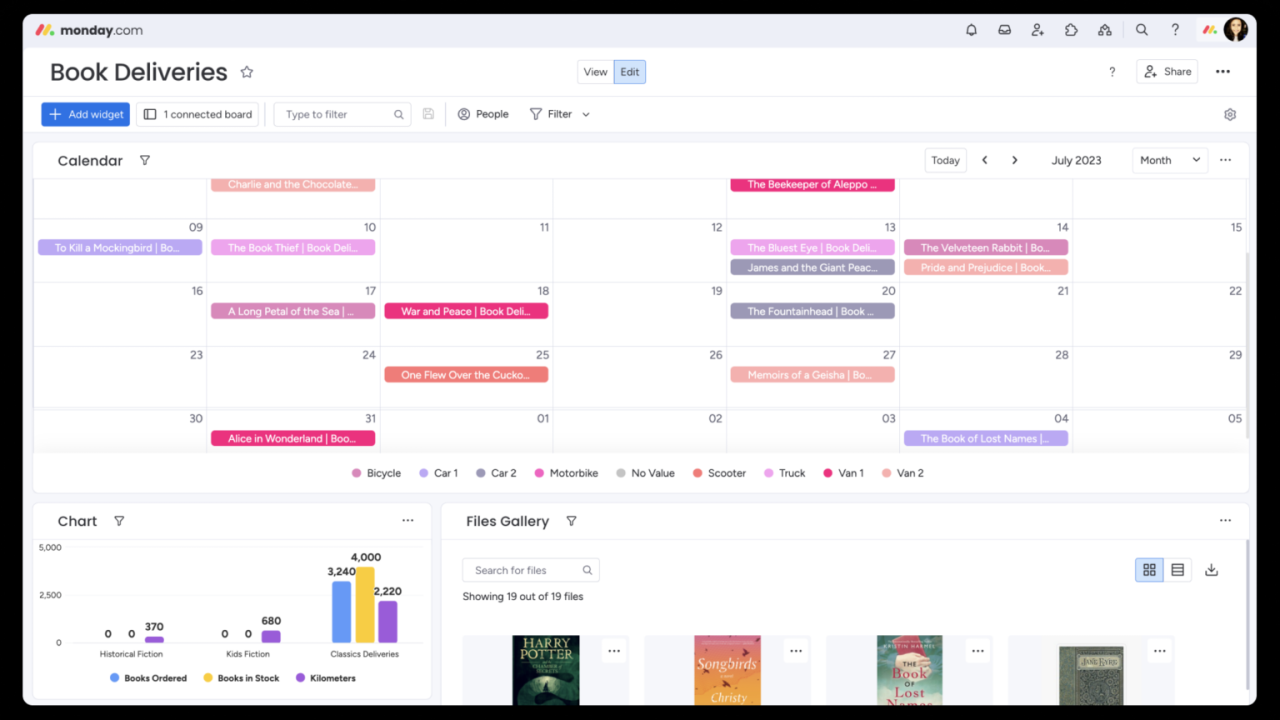
AI-powered to-do lists offer a dynamic and adaptable platform for managing tasks, effectively catering to the diverse needs of various user groups. These tools can be customized to align with specific requirements, allowing for optimized productivity and improved task management. This flexibility extends to adapting to evolving priorities and schedules, making the system highly responsive to individual needs.Different user groups have unique needs and expectations when it comes to task management.
Tailoring the AI to-do list to these specific needs enhances user experience and promotes better task completion. For example, a student might need a to-do list that prioritizes deadlines, while a professional might require a system that integrates with project management software.
Student To-Do Lists
Student to-do lists often require a clear visual representation of deadlines and assignments. These lists can be integrated with academic calendars, automatically pulling in course information and deadlines. Features like task categorization (e.g., readings, assignments, exams) and personalized reminders are crucial. For instance, a student might create a to-do list categorized by subject, with subtasks for each assignment, like “Research,” “Write,” and “Edit.” This structure helps students stay organized and on track with their studies.
Professional To-Do Lists
Professional to-do lists often need to be integrated with project management tools and calendars. Features like task dependencies, time estimations, and project milestones are vital. These lists can be customized to include recurring tasks, such as daily check-ins with colleagues or weekly reports. A professional might create a to-do list that links tasks to specific projects, assigning due dates and dependencies to ensure project completion.
Family To-Do Lists
Family to-do lists benefit from shared access and collaborative features. The ability to assign tasks to different members, set reminders for everyone involved, and track progress together is important. These lists can be structured to include household chores, appointments, and family events. For example, a family might use a shared to-do list to manage grocery shopping, house cleaning, and childcare responsibilities, with each member responsible for specific tasks.
Customization and Adaptation
AI to-do lists adapt to changing priorities and schedules through dynamic prioritization algorithms. These algorithms analyze task deadlines, dependencies, and current workload to adjust priorities as needed. For instance, if a new, urgent task arises, the AI can re-prioritize existing tasks to accommodate the new demand, ensuring the most important tasks are completed first.
Examples of Tailored To-Do Lists
| User Group | Key Features | Example Task |
|---|---|---|
| Student | Deadline-oriented, integrated with academic calendar, task categorization | “Research topic for history essay by Friday” |
| Professional | Integration with project management tools, task dependencies, time estimations | “Present project proposal to client by Tuesday” |
| Family | Shared access, collaborative features, task assignment | “Grocery shopping on Saturday with John” |
Examples of AI-Powered To-Do Lists

AI-powered to-do lists are rapidly evolving, offering sophisticated task management capabilities. These systems leverage machine learning algorithms to anticipate needs, prioritize tasks, and suggest optimal workflows. By integrating with other tools and services, AI to-do lists can streamline various aspects of daily life and professional activities.Understanding how AI-powered to-do lists can be applied across diverse contexts is crucial.
This section presents practical use cases in project management and personal life, illustrating how AI can improve task management efficiency and productivity.
Project Management Applications
AI-powered to-do lists can significantly enhance project management by automating tasks and providing insightful predictions. They excel in complex projects with multiple dependencies and stakeholders.
- Task Prioritization and Scheduling: AI algorithms can analyze project timelines, resource availability, and task dependencies to automatically prioritize tasks and suggest optimal scheduling. For example, in a software development project, an AI-powered to-do list could identify critical tasks requiring immediate attention based on their impact on the overall project timeline, considering dependencies and potential bottlenecks. This allows project managers to focus on crucial elements and prevent delays.
- Resource Allocation: AI can help allocate resources effectively by analyzing the skills and availability of team members. Imagine a project requiring specialized skills. An AI to-do list can suggest the most suitable team member for a particular task, optimizing resource utilization and reducing potential delays.
- Risk Assessment and Mitigation: AI can analyze project data to identify potential risks and suggest mitigation strategies. For instance, if a project involves multiple external dependencies, an AI-powered to-do list can flag potential delays in external approvals or resource availability, allowing the project manager to proactively address these risks and adjust the timeline.
Personal Life Applications
AI-powered to-do lists can also enhance personal productivity and organization. These systems can be tailored to individual needs and preferences.
- Personalized Task Prioritization: An AI-powered to-do list for a student can automatically prioritize tasks based on upcoming deadlines, course schedules, and personal commitments. The system can also adapt to changes in the student’s schedule, dynamically adjusting priorities and deadlines. For example, if a student has a critical exam approaching, the AI could automatically move study sessions to the top of the priority list.
- Smart Reminders and Notifications: AI can intelligently schedule reminders and notifications based on the user’s preferences and context. This can range from reminding a user to book a doctor’s appointment to prompting a user to purchase groceries based on their consumption patterns.
- Habit Tracking and Goal Setting: AI can track progress towards personal goals and suggest strategies for achieving them. For instance, a user aiming to exercise more frequently could benefit from an AI-powered to-do list that tracks exercise sessions and suggests optimal workout schedules based on their personal preferences and health data.
Benefits and Drawbacks of AI To-Do Lists
AI-powered to-do lists offer significant benefits, but some drawbacks should also be considered.
- Benefits: Enhanced task management, automated scheduling, improved productivity, intelligent prioritization, risk assessment, personalized recommendations, and improved organizational capabilities.
- Drawbacks: Reliance on data accuracy, potential for bias in algorithms, need for ongoing maintenance and updates, potential for over-reliance on automation, and the possibility of the system failing to adapt to unforeseen circumstances.
Unique Features
The distinguishing features of AI-powered to-do lists vary based on the specific application and provider. Some notable features include the ability to integrate with various calendar systems, project management tools, and communication platforms. The ability to adapt to individual needs, personal preferences, and specific goals is also noteworthy. Additionally, advanced features like real-time updates, intelligent task prediction, and automated reminders are often included.
Security and Privacy Considerations
AI-powered to-do lists offer convenience and efficiency, but they also raise important security and privacy concerns. Users entrust their schedules, tasks, and potentially sensitive information to these platforms. Understanding these concerns and implementing appropriate security measures is crucial for maintaining user trust and data integrity.Protecting user data is paramount. Robust security protocols and clear privacy policies are essential to build and maintain user confidence.
Implementing strong encryption, access controls, and data minimization practices are crucial steps in ensuring the confidentiality, integrity, and availability of user information. Data breaches can have significant consequences, so preventative measures are vital.
Data Security and Privacy Concerns
AI to-do lists collect and process user data, which can include personal schedules, task details, and potentially sensitive information. This data may be vulnerable to unauthorized access, misuse, or breaches if not properly protected. Concerns include potential data breaches, unauthorized access to personal information, and the potential for misuse of collected data. The risk of data loss due to technical failures or malicious attacks is also a factor to consider.
Data breaches can result in significant financial and reputational damage for both users and the platform providers.
Measures to Ensure Data Safety and Confidentiality
Robust security measures are essential to mitigate these risks. These include implementing strong encryption for data at rest and in transit. Access controls and authentication mechanisms should be in place to limit access to user data to authorized personnel only. Regular security audits and vulnerability assessments can help identify and address potential security flaws. Data minimization practices, limiting the collection and storage of only necessary data, can reduce the scope of potential damage from a breach.
Regular backups of data are also critical in the event of data loss.
Securing User Accounts and Protecting Sensitive Information
Strong passwords, multi-factor authentication (MFA), and regular password updates are vital for user account security. Users should be encouraged to choose strong, unique passwords for their accounts. MFA adds an extra layer of security, requiring a secondary verification method beyond a password. Regularly reviewing and updating passwords can help prevent unauthorized access. Users should be cautious about sharing their login credentials with others and avoid using public Wi-Fi networks when accessing sensitive information.
Potential Vulnerabilities and Solutions
Potential vulnerabilities include insecure APIs, weak encryption algorithms, and insufficient access controls. Employing strong encryption protocols, such as Advanced Encryption Standard (AES), can help protect data. Regular security audits can help identify and mitigate potential vulnerabilities in the system. Implementing secure coding practices during development and deployment can prevent vulnerabilities from arising in the first place. A robust incident response plan is also crucial to address any security breaches or data breaches that may occur.
Security Best Practices for Users
- Use strong, unique passwords for all accounts, avoiding easily guessable passwords.
- Enable multi-factor authentication (MFA) wherever possible to add an extra layer of security.
- Regularly review and update passwords to maintain security.
- Be cautious about sharing login credentials with others and avoid using public Wi-Fi networks for sensitive tasks.
- Report any suspicious activity or potential security breaches to the platform provider immediately.
- Keep software updated with the latest security patches to mitigate known vulnerabilities.
Future Trends in AI To-Do Lists
AI-powered to-do lists are rapidly evolving, moving beyond simple task management to incorporate more sophisticated features and integrate with emerging technologies. This evolution promises to significantly reshape how we approach productivity and personal organization. The future of AI-driven task management will likely be characterized by a seamless blend of automation, personalization, and predictive capabilities.
Enhanced Personalization and Contextual Awareness
AI algorithms will become increasingly adept at understanding individual work styles, preferences, and time constraints. This contextual awareness will allow for more tailored task prioritization, scheduling, and reminders. For instance, an AI-powered to-do list could learn that a user is most productive in the morning and adjust task assignments accordingly. Furthermore, the system could incorporate personal preferences like preferred work environments or time of day for specific tasks, enabling more efficient workflows.
Integration with Emerging Technologies
AI-powered to-do lists will likely integrate with other emerging technologies, such as virtual assistants, smart home devices, and wearable technology. This integration will create a more holistic approach to task management, allowing for seamless transitions between different aspects of a user’s daily life. Imagine a scenario where a smart home device automatically updates a to-do list when a necessary household chore is completed, or a wearable device provides real-time feedback on task progress.
Predictive Capabilities and Proactive Task Management
AI will move beyond simply managing tasks to predicting potential roadblocks and proactively adjusting plans. For example, the AI could analyze a user’s schedule and identify potential conflicts or delays, automatically adjusting task priorities or suggesting alternative solutions. Such predictive capabilities will greatly enhance efficiency and reduce the likelihood of missed deadlines. This is analogous to how weather forecasting predicts potential issues and helps individuals prepare accordingly.
AI-Driven Collaboration and Teamwork
AI will likely play an increasingly important role in team collaboration. To-do lists could be designed to facilitate seamless task delegation, communication, and progress tracking across teams. The AI could automatically assign tasks based on individual strengths and availability, reducing the administrative burden and ensuring effective team collaboration. This is already being seen in project management tools that leverage AI to streamline team workflows.
Security and Privacy Considerations Remain Crucial
As AI-powered to-do lists become more integrated into personal lives, the importance of robust security and privacy protocols will only increase. Users need to be assured that their data is protected and used responsibly. This will involve transparent data usage policies, strong encryption methods, and clear guidelines for user data management. Companies developing these tools must prioritize user privacy and security to build trust.
Potential Future Developments and Implications
- Automated Task Generation: AI could automatically generate to-do lists based on goals, projects, and upcoming deadlines. This could significantly reduce the time spent on manual task creation, allowing users to focus on more strategic activities. Imagine a system that anticipates upcoming work deadlines and creates corresponding tasks.
- Personalized Learning and Skill Development: AI could analyze task completion patterns to identify areas where a user needs to improve their skills or develop new ones. The system could then recommend relevant resources or training programs to help users achieve their goals. This is similar to how personalized learning platforms adapt to individual student needs.
- Emotionally Intelligent Task Management: Future AI could consider emotional states to optimize task scheduling. For instance, if a user is feeling stressed, the AI might suggest relaxing tasks or break down complex tasks into smaller, more manageable ones.
Last Point
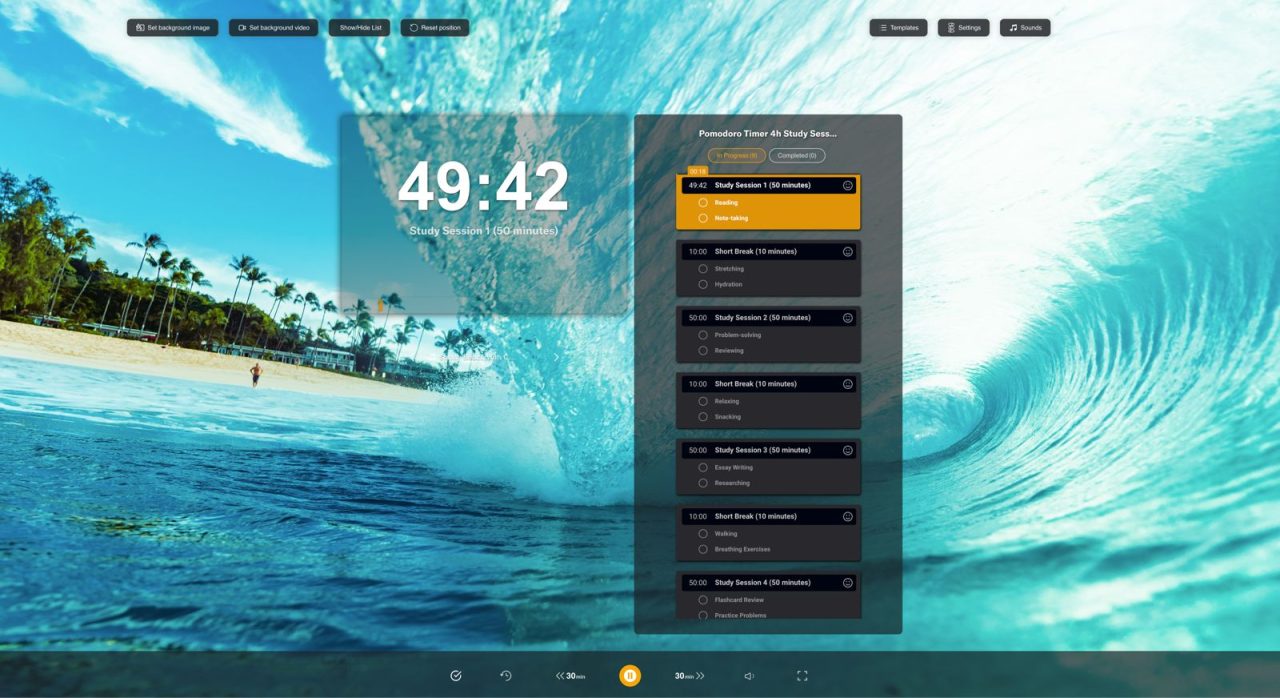
In conclusion, this comprehensive guide has illuminated the transformative potential of AI-powered to-do lists. By understanding the diverse types of AI to-do lists, input methods, and features, users can create personalized and efficient task management systems. The guide has also emphasized the importance of security and privacy, and explored future trends in this dynamic field. Implementing these insights can significantly enhance productivity and streamline daily tasks.