Unlocking the power of data visualization has never been easier. This guide provides a comprehensive overview of how Artificial Intelligence (AI) can be leveraged to generate impactful charts, covering everything from basic chart types to advanced customization techniques. Whether you’re a seasoned data analyst or a novice, this resource will equip you with the knowledge and tools needed to effectively translate your data into compelling visual representations.
From understanding the various AI-powered platforms and tools to mastering data preparation and customization options, this guide will walk you through the entire process, enabling you to seamlessly integrate AI-generated charts into your reports and presentations. Discover the benefits, limitations, and best practices associated with this evolving technology, ensuring you leverage its potential effectively and ethically.
Introduction to AI-Generated Charts
AI-driven chart generation is a rapidly evolving field leveraging artificial intelligence to automate the creation of various chart types from data. This technology streamlines the process of visualizing data, making it more accessible and understandable for a wider audience. AI tools analyze datasets and automatically select the most appropriate chart type to effectively communicate insights, freeing up human analysts to focus on strategic interpretation rather than manual chart design.The benefits of utilizing AI for chart creation are numerous.
Automated chart generation significantly reduces the time and effort required for data visualization. This efficiency translates into faster insights and quicker decision-making. Furthermore, AI algorithms can identify patterns and trends in data that might be missed by human observation, providing a more comprehensive understanding of the information. This enhanced analysis leads to more accurate predictions and improved strategic planning.
Types of Charts AI Can Produce
AI tools are capable of generating a wide array of chart types. These include, but are not limited to, bar charts, line charts, pie charts, scatter plots, area charts, and more complex visualizations like heatmaps and treemaps. The versatility of AI-generated charts allows for a wide range of data representations, catering to diverse analytical needs.
Common Use Cases for AI-Generated Charts
AI-generated charts find applications across various domains. In business, they can be used to track sales performance, analyze market trends, and visualize financial data. In research, they can display experimental results, model simulations, and statistical findings. Furthermore, educational institutions can leverage these tools to present complex data to students in a more engaging manner. In short, the versatility of AI-generated charts allows for the visualization of various types of data in various contexts.
Chart Types, Data Suitability, and AI Benefits
| Chart Type | Suitable Data | Benefits of Using AI | Example Use Case |
|---|---|---|---|
| Bar Chart | Categorical data, comparing quantities across categories. | AI can automatically select appropriate categories, adjust bar sizes, and determine the best visual representation, saving time and ensuring accuracy. | Comparing sales figures for different product categories. |
| Line Chart | Continuous data, showing trends over time. | AI can automatically identify trends, provide estimations for future data, and highlight critical points or anomalies. | Monitoring stock prices over a period. |
| Pie Chart | Proportional data, showing parts of a whole. | AI can accurately calculate percentages, label slices effectively, and create visually appealing pie charts for quick comprehension of proportions. | Displaying the distribution of votes in an election. |
| Scatter Plot | Two or more variables to identify correlations. | AI can automatically identify clusters or patterns, helping to detect hidden relationships in data that might not be obvious in a table. | Investigating the relationship between customer spending and demographics. |
Platforms and Tools for Chart Creation
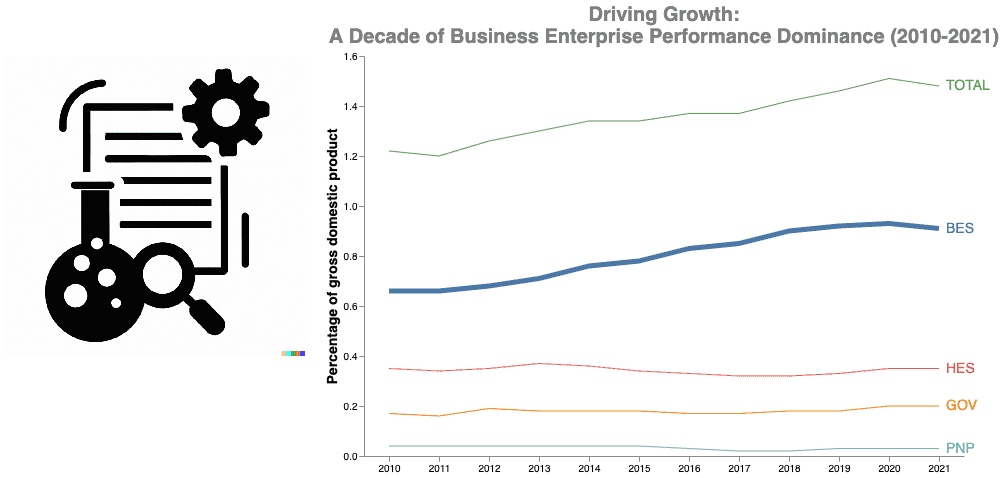
Numerous platforms and tools are emerging to assist in generating charts with AI. These tools leverage machine learning algorithms to create visually appealing and informative charts from various data sources, streamlining the chart creation process. This section explores some popular options, highlighting their key features, functionalities, and strengths and weaknesses.
Popular Platforms and Tools
Several platforms and tools are gaining traction in the AI-driven chart creation space. Their capabilities vary, catering to different needs and skill levels.
- ChartGPT: This platform utilizes a large language model to understand user requests and generate charts based on the input data. It supports diverse chart types, from simple bar charts to complex interactive visualizations. Key features include automatic data formatting, customization options, and integration with popular data sources. It offers a user-friendly interface with a drag-and-drop feature to customize charts.
An example would be a user inputting “Show sales trends for Q3 2023 by region” which then generates a dynamic bar chart with interactive region highlighting.
- Visually.AI: This tool focuses on creating visually compelling charts with AI assistance. It emphasizes aesthetics and design, generating professional-looking charts suitable for presentations or reports. Key functionalities include a vast library of chart templates, advanced design options, and a user-friendly interface. The platform excels at transforming raw data into visually impactful presentations. A user inputting “Create a compelling line chart illustrating website traffic growth over the last year” could generate a chart with visually appealing color schemes and design elements.
- DataViz.AI: This platform stands out for its emphasis on data analysis and interpretation in conjunction with chart generation. It integrates AI-powered insights to analyze the data and recommend appropriate chart types for optimal data communication. Key features include automated data cleaning, insightful annotations, and customizable chart templates. For instance, if a user provides sales data for different product categories, DataViz.AI might suggest a combination of bar and pie charts to showcase sales trends and proportions.
Comparison of Platforms
The following table compares the key features, pricing models, and user reviews for the discussed platforms.
| Feature | ChartGPT | Visually.AI | DataViz.AI |
|---|---|---|---|
| Chart Types | Extensive, from basic to advanced | Visually appealing, emphasis on presentation | Data-driven, suggests appropriate chart types |
| Pricing | Subscription-based, tiers vary | Freemium model, with paid options for advanced features | Enterprise-focused, customized pricing |
| User Reviews | Positive feedback on ease of use and customization | High ratings for design aesthetics and intuitive interface | Positive reviews on insights and data analysis capabilities |
| Data Integration | Supports common data formats and APIs | Integration with various data sources and platforms | Advanced data analysis tools and data cleaning |
AI-powered chart generation tools are revolutionizing how data is presented and understood. By streamlining the chart creation process, these platforms empower users to effectively communicate insights and make data-driven decisions.
Input Data for Chart Generation
Providing the right input data is crucial for generating accurate and insightful charts using AI tools. The quality and format of the data directly impact the chart’s reliability and the insights it can offer. This section will detail various input data formats, emphasize data quality, and guide you through preparing your data for optimal AI chart generation.
Data Formats for Input
Different AI tools accept data in various formats. Understanding these formats is essential for successful chart creation. Common formats include CSV (Comma Separated Values), JSON (JavaScript Object Notation), and Excel spreadsheets. Each format has its own strengths and weaknesses, affecting the chart generation process.
- CSV (Comma Separated Values): CSV files are plain text files where data is organized into rows and columns, separated by commas. This format is widely supported and easily readable by both humans and computers. Its simplicity makes it a popular choice for exchanging data. However, CSV files can become complex when dealing with large datasets, or when containing commas within the data itself.
This may require careful consideration for data preprocessing.
- JSON (JavaScript Object Notation): JSON files use a more structured format than CSV, utilizing key-value pairs to represent data. This allows for more complex data structures and nested data, which is valuable when handling intricate datasets. JSON is frequently used in web applications and APIs for data exchange, offering a more robust approach than CSV for intricate data.
- Excel Spreadsheets: Excel files offer a familiar and user-friendly environment for organizing data. They provide various features for data manipulation and analysis. However, converting Excel files into a format suitable for AI chart generation might require some intermediary steps.
Data Quality and Accuracy
Accurate chart generation hinges on the quality of the input data. Inaccurate or inconsistent data can lead to misleading or incorrect charts, hindering the ability to derive meaningful insights. Data cleaning and validation are vital steps in the chart creation process.
- Data Consistency: Ensure consistent data types within each column. For example, if a column is meant for numerical data, all values in that column should be numerical. Inconsistencies can cause issues in the chart generation process.
- Data Completeness: Ensure that all necessary data points are present in the dataset. Missing data can skew results and prevent accurate chart generation.
- Data Validation: Implement data validation steps to identify and correct errors in the input data. This can involve checking for outliers, duplicates, and other anomalies.
Examples of Structured Data
Here are examples of structured data suitable for chart creation:
- Sales Data: A dataset containing sales figures for different products over a period of time, organized by product name and date. This data can be used to create line charts, bar charts, or area charts to visualize sales trends.
- Customer Demographics: Data on customer age, location, and purchase history, organized into a tabular format. This type of data can be used to create pie charts, bar charts, or scatter plots to analyze customer segments and preferences.
- Stock Market Data: Data containing stock prices, trading volume, and other relevant information for different stocks. This data can be used to create charts showing stock price fluctuations and trading activity over time.
Preparing Data for AI Chart Generation
Preparing your data for AI chart generation involves several steps:
- Data Cleaning: Remove or correct any errors, inconsistencies, or missing values in your data. This step is crucial to ensuring accurate and reliable charts.
- Data Transformation: Transform the data into a format suitable for the AI chart generation tool. This might involve converting data types or restructuring the data layout.
- Data Validation: Validate the transformed data to confirm its accuracy and consistency. This helps prevent errors in the chart generation process.
Data Format Comparison Table
This table provides a comparison of different data formats, their pros and cons, and recommended use cases.
| Data Format | Pros | Cons | Recommended Use Cases |
|---|---|---|---|
| CSV | Simple, widely supported, easy to read | Limited structure, can become complex with large datasets | Simple datasets, data exchange between applications |
| JSON | Structured, nested data supported, suitable for complex data | Can be more complex to understand than CSV | Complex datasets, web applications, APIs |
| Excel | Familiar interface, data manipulation features | Requires conversion steps for AI tools, file size limitations | Data analysis, data visualization within Excel |
Choosing the Right Chart Type for Data
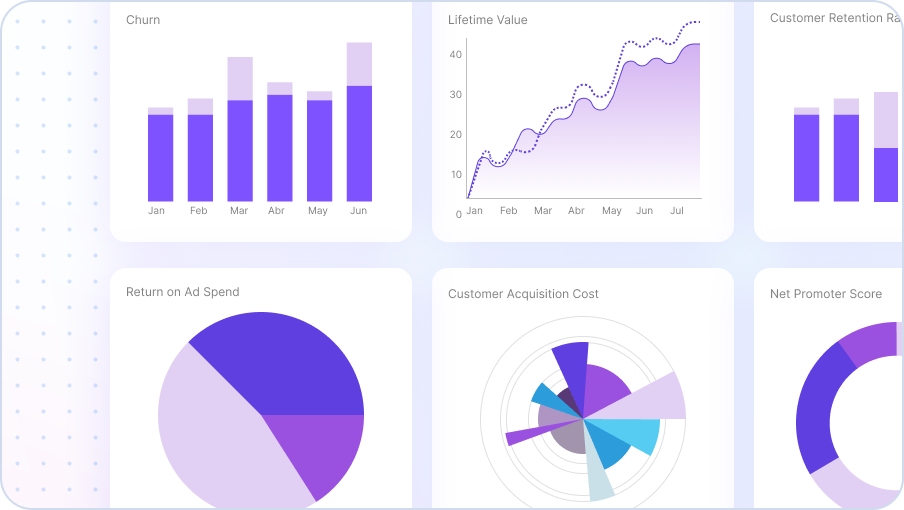
Selecting the appropriate chart type is crucial for effectively communicating data insights. A well-chosen chart can highlight trends, patterns, and relationships within a dataset, while an inappropriate choice can obscure these insights. This section details the factors influencing chart selection and explores various chart types, along with their applications.
Relationship Between Data Characteristics and Suitable Chart Types
Data characteristics significantly impact the most effective chart type. Quantitative data, such as sales figures or temperature readings, often lends itself to charts displaying numerical trends, while qualitative data, like customer feedback categories, might be better visualized using charts that categorize and compare data points. The distribution of data, whether clustered, dispersed, or showing a clear central tendency, also guides chart selection.
For example, a dataset with a high degree of variability might benefit from a box plot, while a dataset with a clear central tendency might be best represented by a histogram.
Criteria for Selecting a Chart Type
Several criteria guide the selection of the optimal chart type. Understanding the dataset’s nature, the intended message, and the target audience are key. The dataset’s size, complexity, and the specific insights you wish to extract also play a role. The chart should not only accurately reflect the data but also be easily understood by the audience, minimizing any misinterpretations.
Choosing the Best Chart for Visualizing Specific Trends or Patterns
Different chart types are tailored to highlight distinct trends and patterns. For instance, line charts are excellent for visualizing trends over time, while bar charts are ideal for comparing categories or values. Scatter plots reveal correlations between two variables, and pie charts effectively display proportions within a whole. A careful analysis of the data and the desired message is essential in selecting the best chart type.
Detailed Explanation of Different Chart Types and Their Applications
Various chart types serve different visualization needs. Line charts, useful for continuous data, show trends over time. Bar charts are effective for comparing categorical data or showing differences between groups. Pie charts, on the other hand, visually represent proportions of a whole. Scatter plots illustrate relationships between two variables, while histograms display the distribution of a single variable.
Area charts emphasize changes over time, and box plots highlight the distribution of data, including outliers. Each chart type is best suited for specific situations.
Selecting the Appropriate Chart Based on Dataset Characteristics
To select the correct chart, consider the data type and the intended message. If the data represents a change over time, a line chart might be ideal. If you want to compare categories, a bar chart could be more suitable. If you need to visualize the distribution of data, a histogram might be the best option. The choice is crucial to effectively communicate the data’s story.
Comparison of Chart Types
| Chart Type | Use Cases | Examples | Suitable Dataset Characteristics |
|---|---|---|---|
| Line Chart | Displaying trends over time, showing relationships between variables | Sales figures over the past year, stock prices | Continuous data, time series data |
| Bar Chart | Comparing categories or values, highlighting differences | Sales by region, website traffic by platform | Categorical data, comparing groups |
| Pie Chart | Representing proportions of a whole, showing percentage distribution | Market share of different products, budget allocation | Data representing parts of a whole |
| Scatter Plot | Illustrating relationships between two variables, identifying correlations | Correlation between advertising spend and sales, customer age vs. purchase amount | Numerical data, exploring correlations |
Incorporating AI-Generated Charts into Reports
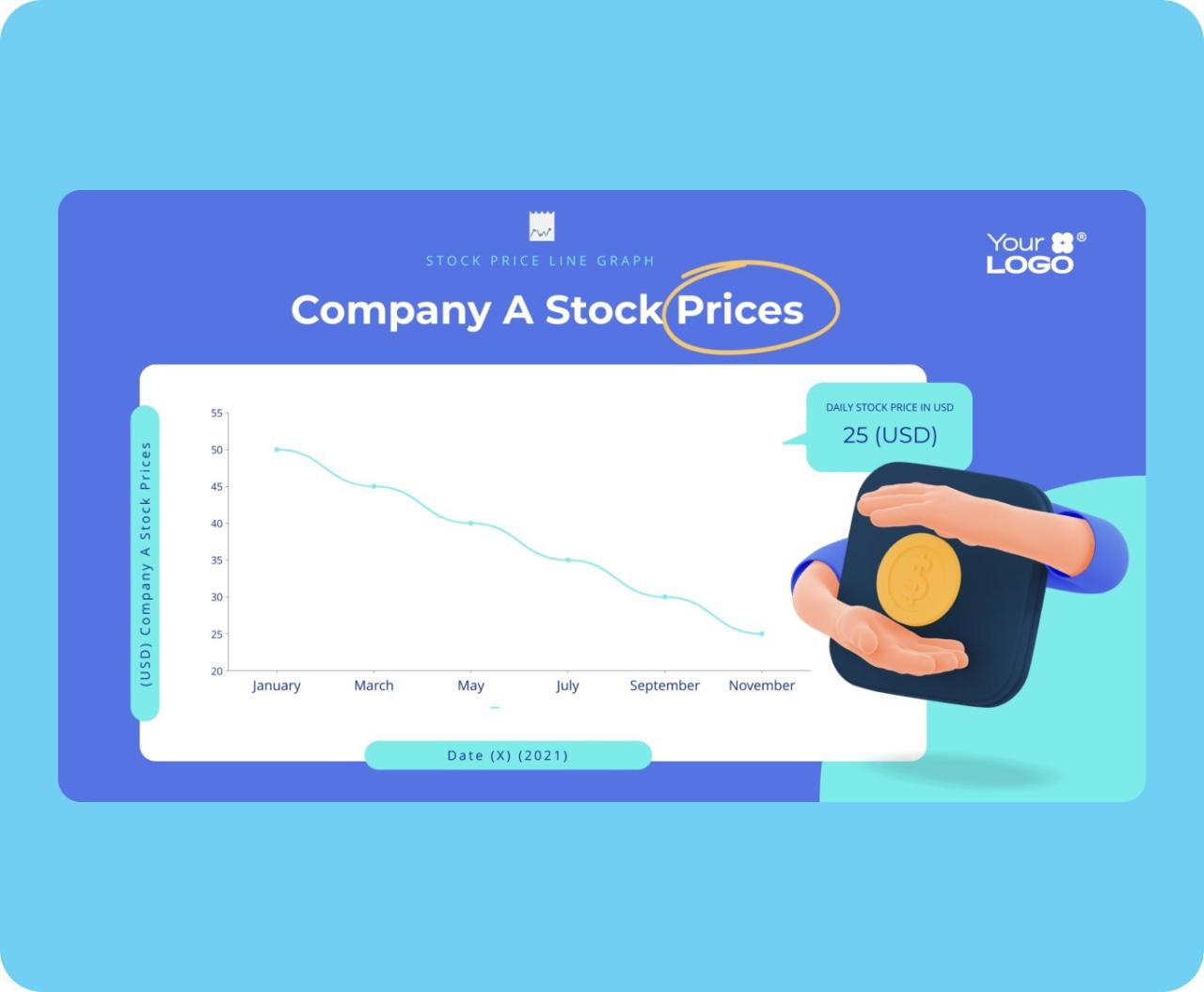
Integrating AI-generated charts into reports and presentations can significantly enhance their impact and clarity. By strategically incorporating these visualizations, you can effectively communicate complex data insights to your audience, leading to improved comprehension and more compelling narratives. This section details best practices for seamlessly integrating AI-generated charts into various reporting formats.
Best Practices for Integration
Proper integration of AI-generated charts requires careful consideration of the report’s overall structure and the intended message. The charts should complement the text, not replace it. They should be concise, focused, and easily understandable. Ensure the chart’s title and labels are clear and unambiguous, allowing the reader to grasp the presented information at a glance.
- Alignment with Report Structure: Position the chart strategically within the report to reinforce the surrounding text. For instance, if the chart supports a particular section’s argument, place it directly after the relevant paragraphs. A clear link between the chart and the accompanying analysis enhances the report’s flow and readability.
- Conciseness and Clarity: Avoid overwhelming the reader with unnecessary details. AI tools can offer a range of chart types; select the simplest one that effectively conveys the key message. Uncluttered charts, with clear labels and titles, maximize understanding.
- Contextualization: Provide a concise explanation of the chart’s relevance to the surrounding text. A brief paragraph summarizing the key findings and their implications within the report’s context is crucial for proper interpretation.
Enhancing Report Readability with Charts
Effective use of charts improves the overall readability of a report, making it easier for the reader to quickly grasp complex information. Visual representations of data are often more impactful and easier to comprehend than large tables of numbers.
- Visual Hierarchy: Employ design elements like color, size, and font to guide the reader’s eye to the most important data points. A well-structured visual hierarchy can highlight trends, patterns, and anomalies within the data.
- Appropriate Chart Types: Select the most appropriate chart type to visualize the data. For instance, bar charts are suitable for comparing different categories, while line charts effectively illustrate trends over time. Choosing the right chart type is critical for conveying the intended message clearly and accurately.
- Interactive Elements (if applicable): If the AI-generated chart allows for interactive elements, consider incorporating them to enhance engagement and exploration. For instance, interactive elements could allow the user to zoom in on specific data points or filter data according to certain criteria.
Highlighting Key Findings with AI-Generated Charts
AI-generated charts can effectively highlight key findings within a report, drawing the reader’s attention to critical patterns and trends. They can help in quickly identifying important insights within large datasets.
- Focusing on Trends: Use charts to visually represent trends in the data, enabling the reader to quickly grasp changes over time. For example, a line chart can display sales figures over a period, allowing the reader to identify seasonal patterns or growth trends.
- Comparing Categories: Charts can effectively compare different categories or groups of data. Bar charts, for instance, can easily illustrate the difference in performance between various departments or products.
- Identifying Anomalies: Charts can highlight unusual data points or anomalies that might otherwise go unnoticed in a spreadsheet. By visually presenting the data, you can quickly identify outliers or unusual trends.
Interpreting Data Visualizations for Insights
Interpreting AI-generated charts requires a critical eye and a thoughtful approach. Focus on the relationships between data points and consider the context surrounding the chart.
- Understanding Relationships: Look for patterns and correlations between different variables. For example, a chart showing sales figures alongside advertising spending might reveal a positive correlation between the two.
- Contextual Awareness: Consider the context of the data and the limitations of the visualization. AI charts, like any other visualization, may not capture the full picture without further investigation.
- Drawing Conclusions: Based on the patterns and correlations identified in the chart, draw thoughtful conclusions about the data and its implications. Avoid overgeneralizations or misinterpretations of the findings.
Example Report Section
| Month | Sales (USD) | Marketing Spend (USD) |
|---|---|---|
| January | 15,000 | 2,000 |
| February | 18,000 | 2,500 |
| March | 22,000 | 3,000 |
| April | 20,000 | 2,800 |
Figure 1: Sales and Marketing Spend (Q1 2024)
(AI-generated line chart illustrating the trend of sales and marketing spend across the months of Q1 2024, showing an upward trend in sales with an increasing marketing spend. The chart suggests a potential positive correlation between marketing investments and sales growth.)
Limitations and Considerations of AI Chart Generation
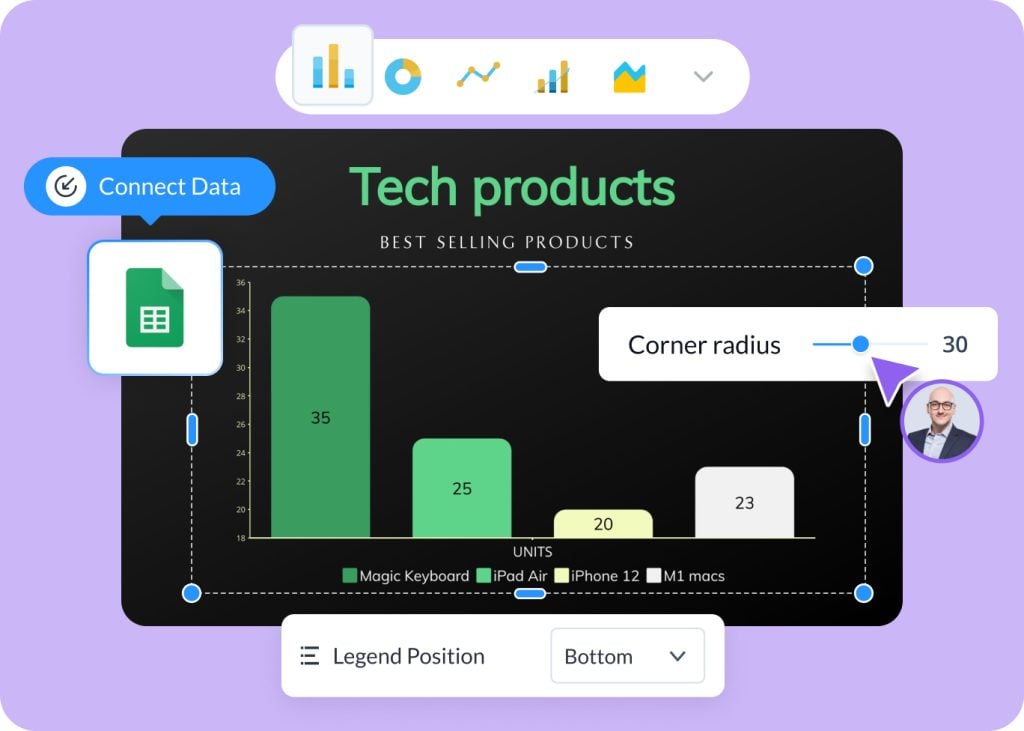
AI-powered chart generation tools offer significant advantages, but it’s crucial to understand their limitations and potential pitfalls. While these tools can automate the creation process and explore diverse chart types, a human-centric approach remains essential for ensuring accuracy, context, and ethical considerations. Relying solely on AI for chart creation can lead to misinterpretations and unintended biases if not carefully monitored and understood.Understanding these limitations allows users to leverage the strengths of AI while mitigating its weaknesses, ultimately leading to more informed and responsible use of data visualization.
Potential Limitations of AI in Chart Generation
AI models, while adept at pattern recognition and data manipulation, may not fully grasp the nuances of the data being visualized. They can struggle with complex relationships, subtle trends, or outliers that might be critical to understanding the underlying story. Furthermore, the quality of the output often depends heavily on the quality and quantity of the input data.
Inaccurate or incomplete data can result in misleading or even erroneous charts. Moreover, some AI tools may not fully understand the context behind the data, potentially leading to inappropriate or even offensive chart interpretations.
Importance of Human Oversight in Chart Interpretation
Human oversight is critical in interpreting AI-generated charts. AI can identify patterns and trends, but it cannot contextualize them. Humans must assess the validity of the data, the appropriateness of the chart type, and the potential for biases. A critical eye is necessary to evaluate if the visualization accurately reflects the intended message and to ensure that the generated chart is suitable for the target audience.
Potential Biases in AI-Generated Charts
AI models are trained on data sets, and if these data sets contain biases, the generated charts can perpetuate and amplify those biases. For example, if a dataset predominantly represents one demographic, an AI chart generated from this data might inaccurately represent the characteristics of other demographics. It is imperative to be aware of the potential for biased data inputs and ensure that the data used for training AI models is diverse and representative.
Critical Evaluation of AI-Generated Visualizations
A critical approach is crucial when evaluating AI-generated charts. Consider the source of the data, the method of chart generation, and the potential for bias. Compare the AI-generated visualization with other visualizations of the same data. Assess the accuracy of the data presented and the appropriateness of the chart type chosen for the specific data. Ensure the generated chart accurately reflects the message and aligns with the intended purpose.
Ethical Implications of Using AI to Generate Charts
The ethical use of AI for chart generation requires careful consideration. The potential for misinformation and manipulation is significant, particularly in sensitive contexts such as public health or financial reporting. AI tools should not be used to create misleading or deceptive charts. Transparency in the process of chart generation and the identification of potential biases are crucial for responsible use.
Using AI to generate charts without proper human oversight can lead to misleading visualizations, perpetuating biases, and potentially causing harm in various contexts. Transparency, critical evaluation, and ethical considerations are essential for responsible use. Data accuracy, context, and potential biases must be thoroughly examined before relying on AI-generated visualizations for crucial decisions.
Summary

In conclusion, this guide has explored the multifaceted process of generating charts with AI, covering various aspects from initial data input to final report integration. We’ve examined the diverse platforms and tools available, highlighted the significance of data quality, and emphasized the importance of customization options. Furthermore, we’ve touched upon the limitations and ethical considerations, ensuring a balanced understanding of this powerful technology.
By combining practical knowledge with critical evaluation, you’re now well-equipped to harness the capabilities of AI-driven chart generation to effectively communicate your data insights.